If you run Salesforce, you have probably heard Chatter is on its way out. The real story is narrower and more useful than that: nothing changes for existing orgs, but every new Salesforce org now starts life connected to Slack instead.
As of Summer '26, new Salesforce Enterprise Edition and Unlimited Edition orgs are automatically provisioned with a free Slack workspace, pre-connected through Salesforce Channels, with Chatter off by default. Existing orgs are not affected. Chatter keeps working exactly as it does today unless you choose to migrate.
From Chatter to Slack: A Fifteen Year Arc
Chatter launched in 2010 with user profiles, real time feeds from people and CRM records, groups, and a full CRM security model. For a while it worked. Then, per Salesforce's own account of the product's history, it hit a ceiling: a static feed model, no real integrations, no place for AI, and shrinking investment.
Salesforce acquired Slack in 2021, explicitly framing it as the next step of the same idea: collaboration in the flow of work, done properly this time. Salesforce describes the years since as a deliberate Transition Era, culminating in Chatter being turned off by default for any new org created from Summer '26 onward. Salesforce's own Summer '26 release announcement names "Slack-first workflows" as one of its headline themes, alongside multi-agent orchestration and real-time data activation, so this is not a side note in the release, it is one of the release's own top-line stories.
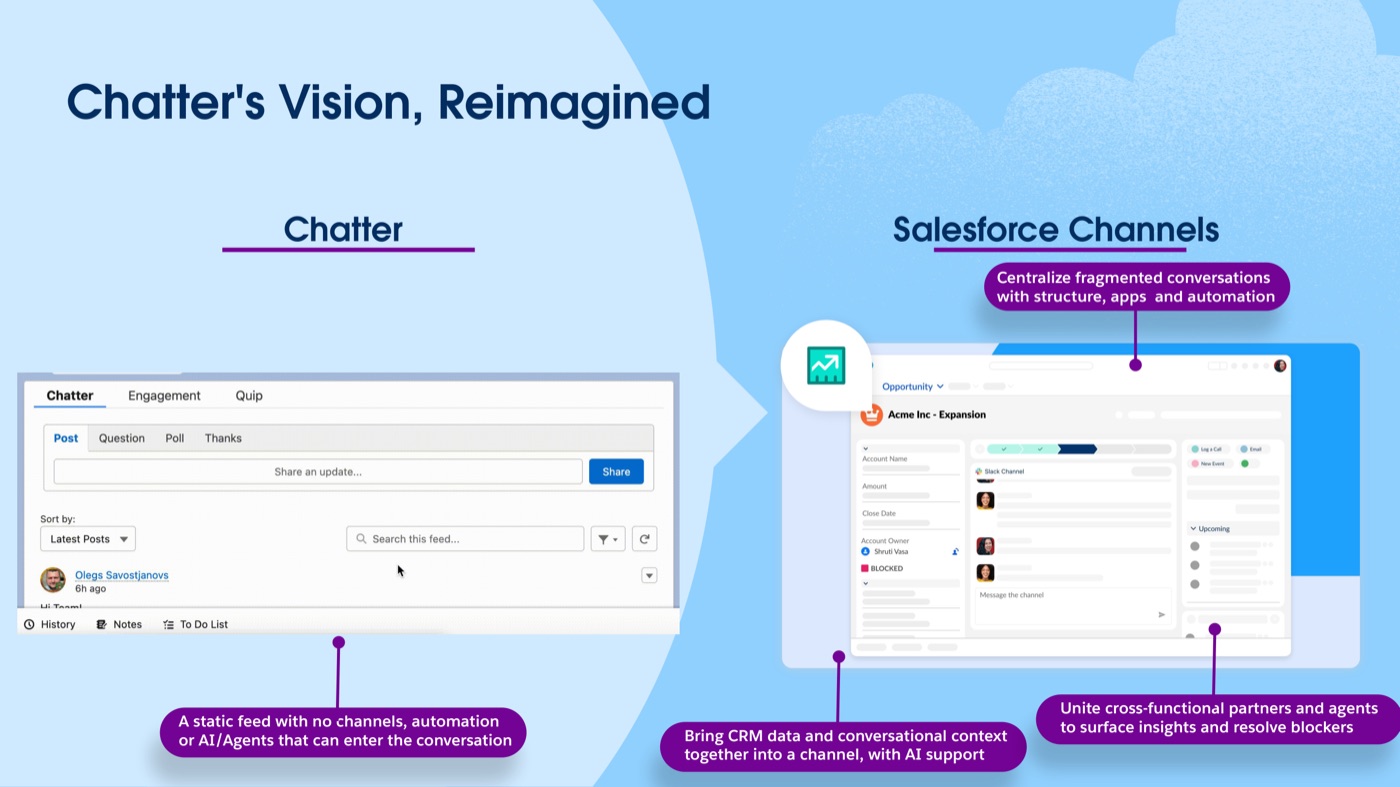
Salesforce's own framing of the shift: Chatter was a static feed with no channels or AI, Salesforce Channels bring CRM data, conversation, and AI into one place. Source
What Actually Changes for New Salesforce Orgs
The specifics below are drawn from the official Salesforce Summer '26 release notes. For orgs created after the Summer '26 release, in Enterprise or Unlimited Edition:
- A Slack Free workspace is provisioned automatically, no separate signup and no setup required.
- Salesforce Channels are configured on key objects out of the box, so Accounts, Opportunities, and Cases can each have a channel.
- Chatter is switched off by default, though it can be re-enabled if you need it.
- New users land in a guided Slack onboarding experience instead of a Chatter feed.
Suite editions (Starter, Pro, Free) have had this same auto-provisioning since October 2025. Summer '26 is when it reaches Enterprise and Unlimited Edition too, which is where most mid-market and enterprise Salesforce orgs, including the kind Rapidi customers typically run, actually live. This is not just Salesforce's own framing either. Independent coverage of the Summer '26 release confirms the same behavior: new Enterprise and Unlimited orgs get a Slack workspace automatically created and configured, with Salesforce Channels connecting CRM records to Slack conversations by default and no manual setup required (see UC Today's coverage of the change and Salesforce Ben's rundown of Summer '26 admin features).
What Stays Exactly the Same for Existing Customers
If you already have a Salesforce org, nothing about your setup changes on its own. Chatter is not being retired for existing orgs. It keeps working exactly as it does today.
Salesforce is not forcing a "lift and shift" of your Chatter history into Slack either. There is no automatic migration path for old posts and feeds. If you do decide to move, the recommended approach is closer to a strategic restart: look at which Chatter-based workflows, notifications, approvals, and deal collaboration actually earn their keep, and rebuild only those in Slack rather than dragging over everything by default.
If and when you do complete that transition, the Slack tab replaces the Chatter feed directly on your Salesforce records, with notifications configurable at three levels (all posts, mentions only, or muted), and channels that can auto-create when a Case or Opportunity is opened. Existing Chatter posts remain visible read-only for reference; they simply stop being where new collaboration happens.
Salesforce Channels: What It Looks Like in Practice
The pitch is that Salesforce Channels bring CRM data and conversational context into one place, with AI able to join the conversation, something a static Chatter feed was never built for. In Salesforce's own examples, that plays out as:
- Selling as a team: strategizing on top accounts, debriefing customer meetings, sharing files, pulling in a domain expert, and flagging leadership to unblock a stuck deal, all inside the Opportunity's own channel.
- Accelerating approvals: Legal and Finance aligning on quote and contract terms, asking questions about a pricing exception, and escalating to leadership, without leaving the record or waiting on an email thread.
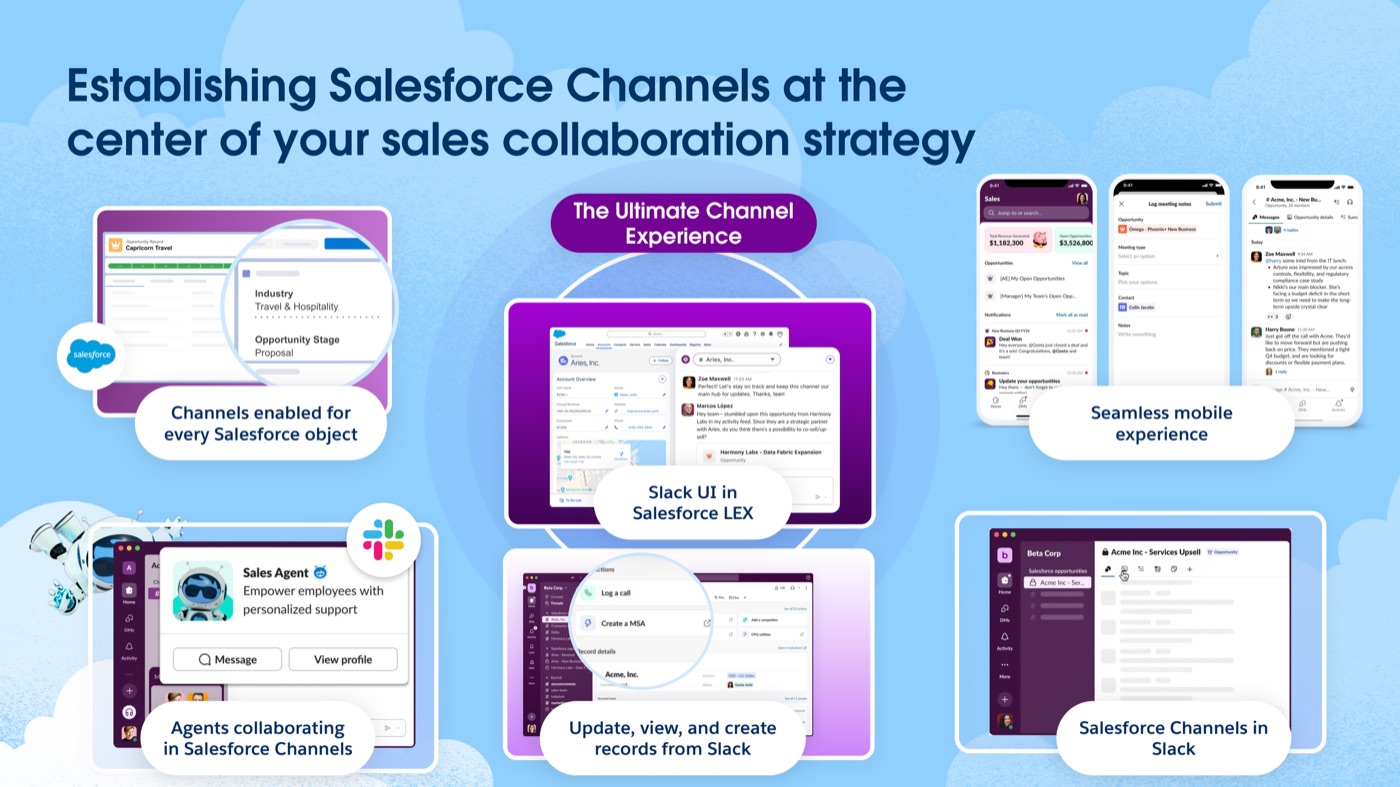
Channels are enabled for every Salesforce object, with a seamless mobile experience and Slack's UI embedded directly inside Salesforce LEX. Source
Slackbot: The AI Layer on Top
Alongside Salesforce Channels, Salesforce is shipping Slackbot as what it calls an employee superagent inside Slack. A few specifics worth knowing:
- It is automatically connected to Salesforce and respects existing user permissions, so it only surfaces what a given user is already allowed to see.
- It can read Salesforce reports directly, tabular, summary, matrix, or joined, just by being given a report ID, without anyone switching tabs or exporting data.
- It acts as an orchestrator, bringing in specialized Agentforce agents to actually execute on a request. Salesforce says this will extend to third-party agents by the end of 2026, which is the same direction Rapidi has been watching with the Rapidi MCP Server connecting MyRapidi to tools like Claude.
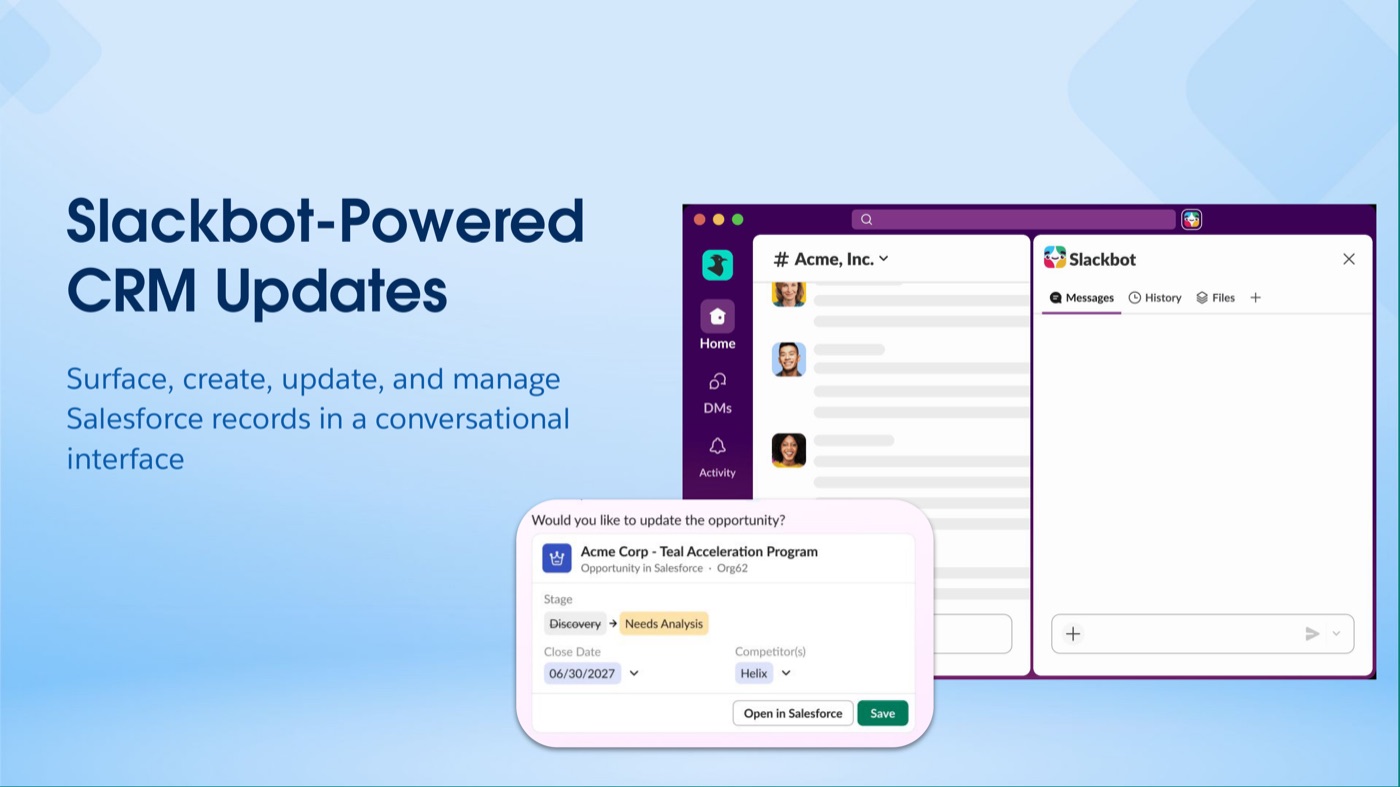
Slackbot can surface, create, update, and manage Salesforce records directly inside a Slack conversation, no tab-switching required. Source
That third-party direction is already underway. Salesforce and Anthropic have announced Claude access inside Slack and Agentforce 360, bringing trusted business context and AI actions from Salesforce data directly into a Claude conversation (see Salesforce's own announcement and Salesforce Ben's coverage of the Claude-Slack integration).
Why This Is Worth Knowing If You Use Rapidi
Rapidi has been a Salesforce partner since 2007, and most of our customers running Salesforce also run it alongside Microsoft Dynamics 365 or Business Central. The change from Chatter to Slack has no impact on the integration itself, as it sits one layer above where Rapidi operates. Your Salesforce to Dynamics 365 data sync- contacts, orders, invoices, whichever objects you have mapped- keeps running the same way whether your team is collaborating in Chatter, Slack, or nowhere at all. Switching collaboration layers does not touch your integration.
What it does mean is that if you are on the fence about a Chatter-to-Slack move, you can make that call purely on collaboration merits, without worrying it will disrupt the data pipeline underneath. Furthermore, MyRapidi also integrates with Slack, so you can get notifications about your integration across various Slack Channels.
Learn more about Rapidi Slack Integration.
Frequently Asked Questions
Is Chatter being retired?
Not for existing orgs. Chatter keeps working exactly as it does today. The only change is that new Salesforce Enterprise and Unlimited Edition orgs created from Summer '26 onward have Chatter off by default, with Slack provisioned instead.
Do I have to migrate from Chatter to Slack?
No. Salesforce describes this as a strategic evolution, not a forced migration, for existing customers. If you do migrate, there is no automatic lift-and-shift of Chatter history; the recommended approach is to rebuild the specific workflows that matter in Slack.
Which Salesforce editions get Slack automatically?
New Enterprise Edition and Unlimited Edition orgs get it from the Summer '26 release. Suite editions (Starter, Pro, Free) have had Slack auto-provisioning since October 2025.
Will moving from Chatter to Slack affect my Rapidi integration?
No. Data integration between Salesforce and your ERP (Dynamics 365, Business Central, and others) operates independently of which collaboration layer, Chatter or Slack, your team uses inside Salesforce.
What is Slackbot?
Slackbot is Salesforce's AI assistant built into Slack. It is automatically connected to Salesforce, respects user permissions, can read Salesforce reports on request, and orchestrates Agentforce agents to take action on your behalf.