Blog
What's the Best HubSpot-Microsoft Dynamics Integration App in the HubSpot Marketplace?
Searching the HubSpot Marketplace for a CRM to ERP integration? Six things to check in a HubSpot-Microsoft Dynamics integration app, and how the RAPIDI connector meets each one.
Read the article →
Making the case for integration: how to calculate integration ROI and win executive approval
Most teams already know they need integration. What is hard is proving it to leadership in money. Here are the hidden costs of disconnected systems, why the business case gets stuck, and a five-lever framework for calculating integration ROI and the payback period.
Read the article →
How can you reduce data integration costs? 5 practical tips
You can reduce data integration costs by improving data quality, limiting unnecessary customizations, choosing an integration approach that can adapt to future changes, designing your integration architecture carefully, and following proven integration best practices.
Read the article →
What is API Integration and how does It work?
API integration is the process of connecting different software applications through their APIs so they can exchange data and work together.
Read the article →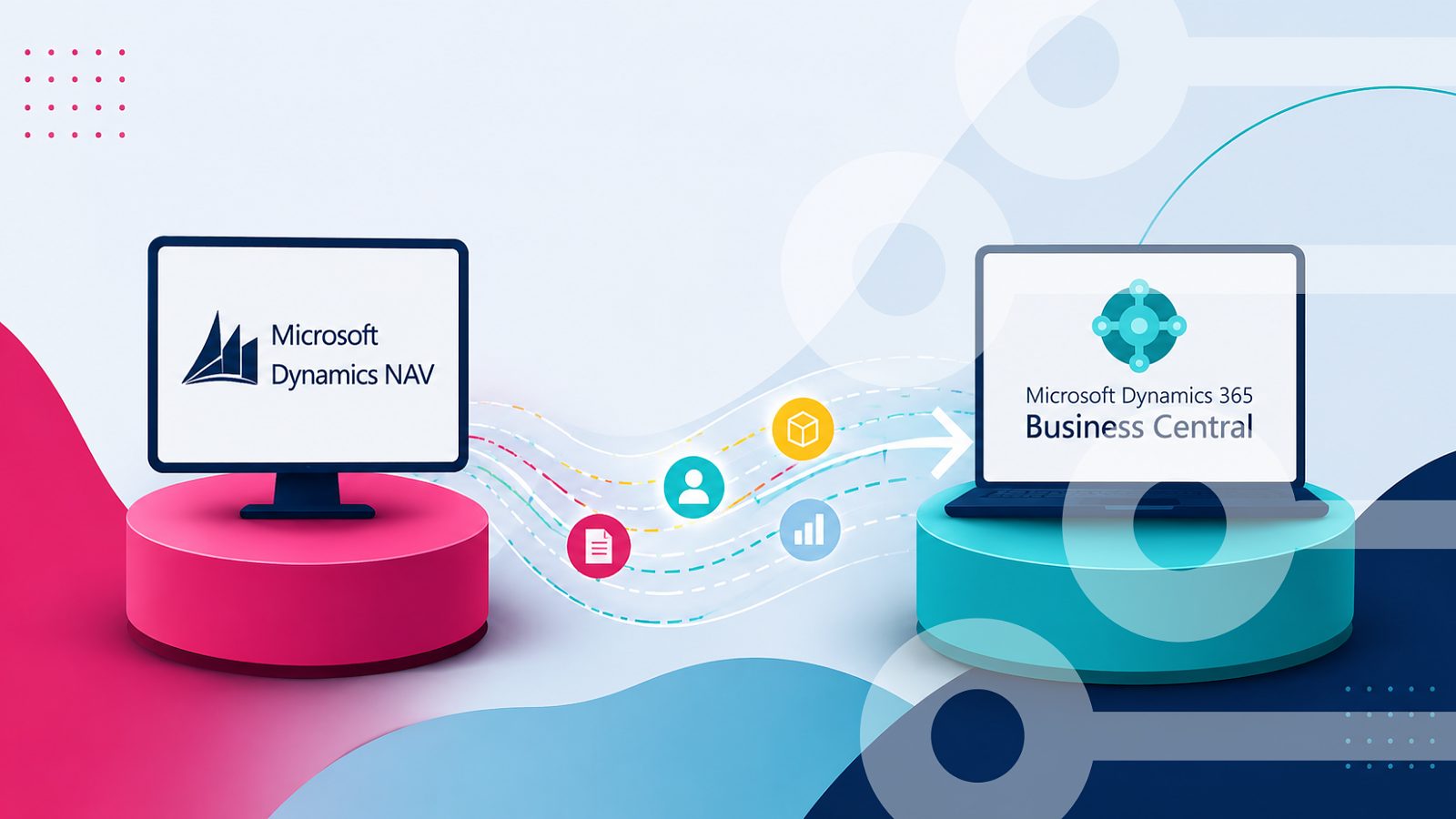
Migrating from Dynamics NAV to Business Central: What will happen with the integration
Moving from Dynamics NAV to Business Central does not automatically mean rebuilding your integration, and what happens depends on how it was built. Depending on the setup, the integration may need to be rebuilt, reconfigured, or adapted. This blog shares a six-step migration guide to help you move to Business Central without putting your business at risk.
Read the article →
What is iPaaS and why does your business need it?
iPaaS (Integration Platform as a Service) is a cloud-based solution that connects your business applications, like Salesforce, HubSpot, and Microsoft Dynamics, so they share data automatically and in real time, without manual entry or custom coding. Your business needs it because disconnected systems create silos, delays, and errors; iPaaS eliminates that by syncing data instantly, cutting integration costs, and freeing your team to focus on growth instead of manual data entry.
Read the article →
Best Salesforce Integration Tools: Top 8 Solutions Compared
The top Salesforce integration tools are Rapidi, Commercient, Boomi, Jitterbit, MuleSoft, DataOrbis, TIBCO Scribe, plus Copado, Gearset, Hutte, and Heroku's Toolkit for DevOps/admin needs. Rapidi is the strongest fit for Salesforce–Microsoft Dynamics ERP integration; MuleSoft and Jitterbit suit larger, more technical enterprises.
Read the article →
Salesforce Shifts from Chatter to Slack for New Orgs: What You Need to Know
If you run Salesforce, you have probably heard Chatter is on its way out. The real story is narrower and more useful than that: nothing changes for existing orgs, but every new Salesforce org now starts life connected to Slack instead.
Read the article →
What Are the 9 Most Common ERP‑CRM Integrations?
Most companies don’t realize that ERP-CRM integration projects can be implemented without changing a single line of code in your programs.
Read the article →
Does Microsoft Copilot Work With Salesforce? The Complete 2026 Answer
Microsoft Copilot works with Salesforce, but only in limited ways, and the answer depends entirely on which Copilot product you are using. Microsoft 365 Copilot does not natively read Salesforce records. Sales in Microsoft 365 Copilot (previously called Copilot for Sales) can surface Salesforce CRM data inside Outlook and Teams. Copilot experiences inside Dynamics 365 apps work from Dynamics and Dataverse data only, unless Salesforce data is synchronized first.
Read the article →
What are the best alternatives to MuleSoft? Comparing Rapidi, Boomi & Celigo
Companies evaluate MuleSoft alternatives for three main reasons: cost ($140K-$250K annual total ownership cost), complexity (3-6-month implementations requiring specialized engineers), and use case fit (MuleSoft excels at 10+ complex API projects but can be overkill for focused CRM-ERP integration needs).
Read the article →
Salesforce Field Service ERP Integration: A Practical Guide
Field service teams and finance teams often work in two separate systems. Salesforce Field Service runs the jobs out in the field, while your ERP runs the money side, like orders, invoices, and pricing. This guide shows how to connect the two, so a job done in the field flows straight through to billing in your ERP, and finance data flows back to your technicians.
Read the article →
Multi-Entity CRM and ERP Integration: How to Route Data Across Legal Entities Without Rebuilding
To integrate a multi-entity setup, build a single integration with entity routing, then reuse it across all legal entities. You do not need a separate project per company. A platform like Rapidi identifies which legal entity each record belongs to and automatically routes deals, quotes, orders, customers, and invoices to the correct company in your ERP, adjusting only the company, currency, and item codes per entity. This eliminates misrouted records, duplicate customers, and the month-end intercompany reconciliation that drains finance teams.
Read the article →
SaaS vs iPaaS: What You Need to Know About Both Technologies
It is no secret that most businesses are turning to the cloud for solutions. In fact, cloud technology is the absolute go-to for businesses nowadays.
Read the article →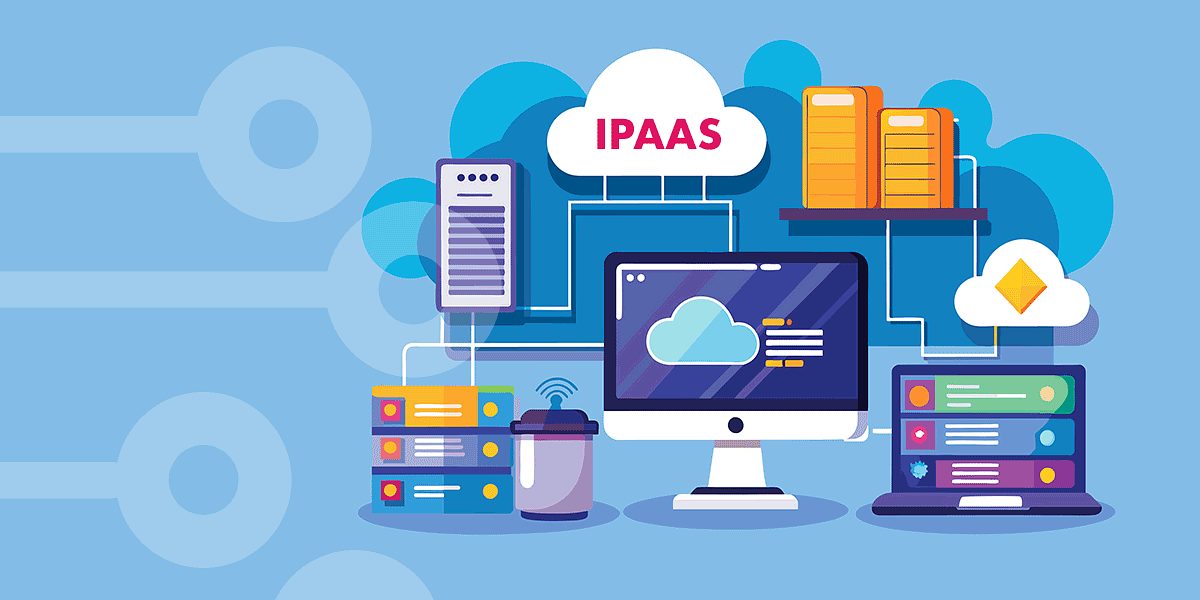
What’s the Best iPaaS for Small Businesses in 2026?
As small businesses continue adopting more cloud applications, choosing the right iPaaS solution has become essential for keeping systems connected and data synchronized. The best iPaaS platforms in 2026 are those that combine affordability, ease of use, scalability, and fast deployment without requiring complex custom development.
Read the article →
Data Integration Platform vs Custom API Integration: Which Is Better for Your Business?
While custom APIs can offer flexibility, they often require significant development time, ongoing maintenance, and higher long-term costs. A modern data integration platform, on the other hand, provides pre-built connectors, faster deployment, easier scalability, and centralized management across multiple systems.
Read the article →
How Thames Water connected Salesforce and Microsoft Dynamics with Rapidi
Thames Water replaced custom-coded Salesforce-to-Microsoft-Dynamics-NAV integration with Rapidi, working with KE Consulting (KEC) on the design. The new setup cut manual reconciliation, shortened go-live, and now scales across business units without further custom code. Below is what KEC actually did, what changed after go-live, and the three lessons any team running a similar project should plan for.
Read the article →
ERP - CRM integration: How should data flow between systems?
Data between ERP and CRM systems should flow in a structured and bidirectional way, sharing key information like customers, orders, products, and payments in real time to eliminate manual work, ensure data consistency, and support better business decisions across teams.
Read the article →
What Are the Do's and Don'ts of a Data Integration Project?
The do's and don'ts of a data integration project come down to decisions made before a single system is connected, from data quality and stakeholder alignment to tool selection and governance. Get those right, and integration becomes a foundation for better decisions. Get them wrong, and the problems compound quickly.
Read the article →
Return on AI: Why 95% of Companies See No Results
Around 95% of enterprise AI projects fail to deliver measurable ROI. But the issue is rarely the technology itself.
Read the article →
What is an ERP Integration with Salesforce in 2026 and beyond?
An ERP Integration with Salesforce means connecting Salesforce with ERP systems so customer, sales, finance, inventory, and order data stay automatically synced in real time. This removes manual data entry, reduces errors, and ensures all teams work with the same up-to-date information.
Read the article →
What are the 20 best data integration tools to use in 2026?
The 20 best data integration tools for 2026 include iPaaS, ETL/ELT, CDC, and Reverse ETL solutions. These tools help connect systems, improve data quality, and speed up reporting and analytics. Rapidi stands out as a flexible, user-friendly platform that simplifies integration and makes data workflows more efficient, making it a top choice for businesses.
Read the article →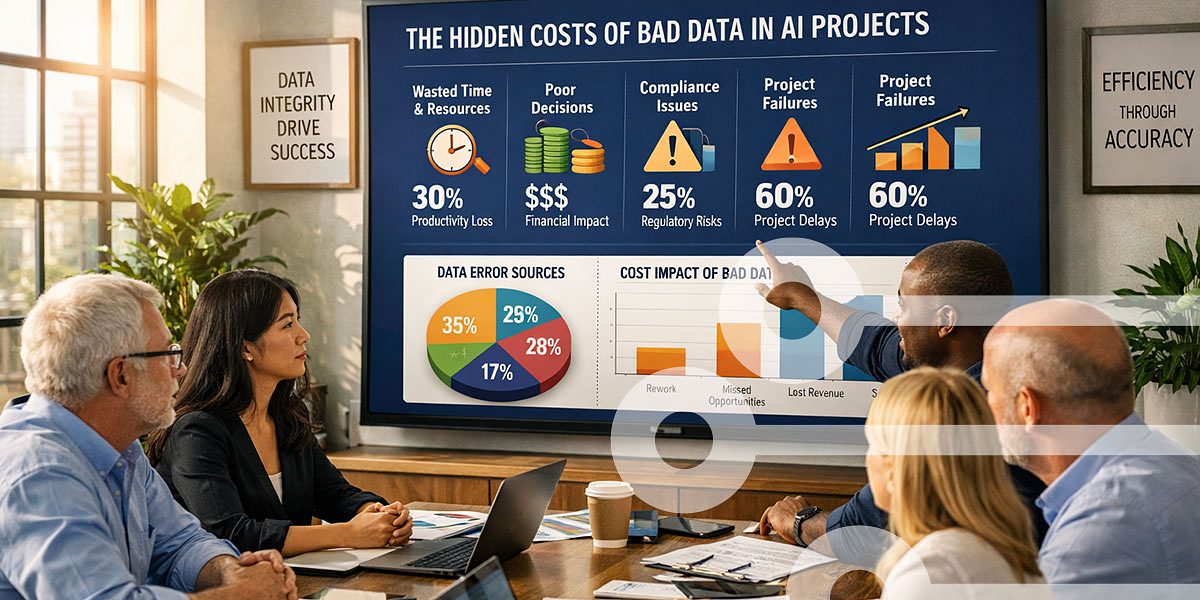
The Hidden Cost of Bad Data in an AI World
Most AI projects fail not because the AI is bad, but because the data feeding it is broken. Without clean, connected data between CRM and ERP systems, AI amplifies errors instead of fixing them.
Read the article →
Top data integration challenges and solutions
Collecting, integrating, and analyzing data gives your business a complete picture of how it performs. It shows you patterns, trends, and where things break down. But the right data does not always reach the systems that need it.
Read the article →
A beginner’s guide to data integration
People often refer to data as the new oil. And it’s not an exaggerated metaphor. Data fuels everything – from delivering top-notch customer service to shaping strategic decisions.
Read the article →
How to Manage Data Integrations Without Engineers
Managing data integration without engineers is now a strategic advantage. You can do that by using a no-code integration platform that automatically connects your systems, eliminates manual processes, and allows business users to control and monitor data flows themselves.
Read the article →
How lead to invoice can improve your ERP-CRM Integration Process
Integrating ERP and CRM systems is one of the most effective ways to streamline business operations. Most integration projects share a common goal: eliminating manual work and connecting data across departments.
Read the article →![Microsoft Dynamics 365 Finance Integration with Salesforce [Case Story]](/sa/mprazdcbi5kry06y40zo11g1ph6j/construction-site-1.jpeg)
Microsoft Dynamics 365 Finance Integration with Salesforce [Case Story]
Running Dynamics 365 Finance and Operations alongside Salesforce creates data integration issues. Your ERP holds financial records, inventory, and order fulfillment data. Your CRM holds customer interactions, sales pipelines, and quotes. Without a connection between the two, your teams duplicate work and make decisions on incomplete information.
Read the article →
How to Use AI in Dynamics 365 CRM: A Step-by-Step Guide
AI in Dynamics 365 CRM integrates built-in artificial intelligence tools like Copilot, predictive analytics, and Customer Insights to automate sales processes, score leads, forecast revenue, and deliver personalized customer experiences based on real-time data.
Read the article →
How to Integrate Salesforce with Microsoft Dynamics 365 (ERP Use Case)
Varitronics integrated Salesforce with Microsoft Dynamics 365 Business Central by keeping Salesforce as the CRM, replacing their former Salesforce-based ERP, Ascent, with Business Central, and using Rapidi to connect the two. This gave sales, finance, and operations one connected process without manual re-entry, while allowing each system to stay focused on its own role.
Read the article →
What's the Best Integration Platform? Rapidi vs Workato vs MuleSoft vs Boomi vs Zapier
Rapidi, Workato, MuleSoft, Boomi, and Zapier serve different integration needs across the iPaaS market. Rapidi specializes in ERP-CRM integration with 30+ years of Microsoft Dynamics expertise and pre-built templates that get companies live in hours, starting at $400/month. MuleSoft offers powerful API management for large enterprises with dedicated IT teams, though costs start around $80,000/year. Workato provides AI-powered enterprise automation with usage-based pricing. Boomi delivers reliable cloud-native integration for hybrid environments. Zapier suits small teams needing simple web app connections, starting free for basic tasks. The right choice depends on your industry (healthcare, banking, manufacturing, or retail each face unique integration challenges), technical resources, budget, and whether you need specialist ERP-CRM expertise or general-purpose automation.
Read the article →
What are the Data Integration Trends and Markets for 2026?
2026 marks a pivotal shift in data integration. The technology is no longer just the foundation of business innovation. It's becoming the operating system for AI agents. As enterprises move from generative AI experimentation to scaled autonomous deployments, data integration platforms must evolve from connecting systems to orchestrating intelligent workflows.
Read the article →
Complete Guide to AI in Data Integration
Data silos and manual mapping bog down businesses, turning simple syncs into weeks-long headaches full of errors. Poor data quality costs companies $12.9 million in lost productivity each year, according to Gartner research. This guide shows proven techniques to automate integration processes and explains how Rapidi's platform puts these AI capabilities to work for companies using for example Microsoft Dynamics and Salesforce users.
Read the article →
What Are the Key CRM Trends Shaping 2026 and Beyond?
CRM systems are shifting from static databases into connected platforms that use AI and live data to support day-to-day work.
Read the article →
MuleSoft vs Boomi vs Rapidi: Choose The Best Data Integration Tool
MuleSoft and Boomi are powerful integration platforms with different approaches: MuleSoft is ideal for complex, API-led environments, while Boomi is more accessible for businesses that want rapid, low-code integration. Which one is better depends on the size of the company, the complexity of the systems, and the budget.
Read the article →
How AI Changes CRM: What Businesses Need to Know in 2025 & Beyond
AI is transforming CRM by automating processes, improving customer insights, and enabling predictive and autonomous decision-making. In 2025 and beyond, businesses need to focus on using AI not just as a support tool, but as a driver of sales, marketing, and customer experience through data integration and intelligent automation.
Read the article →
Google BigQuery Salesforce Integration Guide for SMBs
Integrating Google BigQuery with Salesforce allows sales and customer success teams to access key insights directly in Salesforce by syncing data from BigQuery, enabling real-time insights and faster decision-making without switching tools.
Read the article →
Integrate Salesforce & Dynamics 365 ERP in 3 Steps
Connecting Salesforce with Microsoft Dynamics 365 ERP can transform how your teams work -breaking down silos, eliminating double data entry, and giving everyone access to the same up-to-date information. But where do you start?
Read the article →![How Rapidi Helped Educate 360 Scale Business Automation [Case Story]](/sa/wzdqr4migsrdb0ntjdskbteclr5q/educate-case-story-blog.jpeg)
How Rapidi Helped Educate 360 Scale Business Automation [Case Story]
Educate 360 runs five professional training brands across multiple countries. The company uses Salesforce for sales and customer management and Microsoft Dynamics 365 Business Central for accounting. Before Rapidi, custom APIs connected these systems. Those APIs broke down under high transaction volumes, forced staff to enter data manually, and created inconsistencies across departments.
Read the article →
Retail Data Integration Guide: Connecting POS, ERP, and CRM for Real Omnichannel Insight
Retail has changed. Customers browse on mobile, check stock online, and still walk into stores to buy. They expect the same prices, the same loyalty benefits, and the same level of service everywhere.
Read the article →
Syncing Property Listings from Dynamics 365 ERP to Storyblok
If you manage property listings in Microsoft Dynamics 365 ERP, you probably keep two systems running side by side. Dynamics 365 holds prices, taxes, availability, and basic attributes. Your CMS holds photos, descriptions, landing pages, and SEO content.
Read the article →
What are the must-attend Salesforce Events in 2026?
Local or global, technical or commercial, physical or virtual, Salesforce events are known to deliver great value for money. Is it possible for you to attend all of them? Maybe, but we don't think Finance will approve.
Read the article →
Hubspot + Microsoft Dynamics 365 ERP Integration Guide
Businesses that, e.g., use HubSpot to manage their customer relationships and marketing, but then also use an ERP system (such as e.g., Microsoft Dynamics 365 Business Central, Finance, etc.) for their finance operations, experience a lack of cohesion in their data, needing to update their data manually, as those two systems are not connected. This converts into inefficiency in their business processes and missed opportunities.
Read the article →
What is the best NetSuite Salesforce integration?
Salesforce is largely recognized as the best cloud based CRM solution in the world. Similarly, NetSuite is one of the best cloud based ERP solutions with customers all over the world. Many companies wish to take advantage of both these prominent SaaS providers.
Read the article →
Our Approach to the Quote-to-Order Process in Salesforce
Salesforce is a great tool. However, if you haven’t used it to automate your quote-to-order process yet, you’re doing your sales team a disservice. It’s a major key to getting your team to adopt Salesforce. Streamlining the process will reduce the chance of errors and empower your sales and finance teams to use their time on more productive things than data entry.
Read the article →
Step-by-Step Guide: Salesforce to Dynamics 365 Integration
Some data integration projects can be complex and even become a complete mess if not managed properly and efficiently. Often, the success of a data integration project (for example a Salesforce ERP integration) starts with the quality of your data. It is recommended to do a thorough data clean up before getting started. This way, your integration project will not solve your data quality issues, it will only make them more visible. When data quality is in place, you can easily avoid troubles by following a structured approach. A good way to is start by defining the touch points and data integration routes you want to support.
Read the article →
What are the key AI trends transforming Data Integration?
AI is transforming data integration by automating processes, enabling real-time data flows, and using intelligent systems that can learn, adapt, and act autonomously to improve data accuracy and decision-making.
Read the article →![[WEBINAR ON-DEMAND] Salesforce and Salesforce Integration](/sa/712v6vn5f29lwjl0d2oabaneillg/salesforce-salesforce-integration.jpeg)
[WEBINAR ON-DEMAND] Salesforce and Salesforce Integration
Integrating multiple Salesforce instances can be a transformative step for organisations looking to streamline operations and improve data coherence. However, this journey is not without its challenges, but don't despair Rapidi makes this task easy for you.
Read the article →
Master the Art of HubSpot and Microsoft Dynamics 365 Integration
In our last blog post, we explored the step-by-step process of integrating HubSpot with Microsoft Dynamics 365 Business Central - a powerful combination that streamlines processes, improves data accuracy, and enhances CRM capabilities.
Read the article →
Webinar On-Demand: How to Integrate Salesforce and Dynamics 365 Finance with no code
Effective communication between your business systems is key to smooth operations. Integrating Salesforce with Microsoft Dynamics 365 Finance may seem challenging—especially when earlier versions of Dynamics (like Dynamics AX) lack native timestamp features, making it difficult to track new or updated data accurately.
Read the article →
CDS, CDM and Data Integration
Industries are grappling with the challenge of managing vast amounts of data across multiple systems and departments, leading to inefficiencies, inconsistencies, and limited access to real-time information.
Read the article →
Why Integrate HubSpot and MS Dynamics 365 Business Central?
If you use HubSpot and Dynamics 365 Business Central, there are many benefits to integrating the two systems: you keep data consistent, improve collaboration between sales and finance, and get a complete view of customers for better decision-making.
Read the article →
What can Salesforce CPQ-ERP integration do for your business?
Salesforce CPQ Integration enables you to connect Salesforce CPQ to other business systems (such as ERP or billing systems) to automatically synchronise product, pricing, and order data. This integration reduces manual errors, accelerates the sales cycle, and improves data visibility.
Read the article →
Choose your Salesforce Dynamics 365 BC Integration Solution
Many Salesforce integration tools can help you integrate your Salesforce CRM with your ERP solution. Some offer a broad data integration platform that lets you integrate with a wealth of other solutions.
Read the article →
Future-Proof Your Business with a Comprehensive ERP System Upgrade
An ERP system is a must-have for businesses today.
Read the article →
Enhance automated marketing campaigns with data integration
As we find ourselves in 2025, the marketing landscape has evolved dramatically, driven by rapid technological advancements and a deeper understanding of consumer behavior. The ability to predict and adapt to these changes is crucial for businesses aiming to stay ahead. In this era, data integration has become a pivotal element, providing exceptional insights into customer preferences and behaviors.
Read the article →
Top 9 Data Integration Problems and Solutions in 2025
We’ve tackled various data integration topics throughout 2024, from finding the best iPaaS solutions to data integration strategies. As we kick off 2025, it’s crucial to step back and evaluate some of the common issues companies face when it comes to data integration.Data integration will continue to be both a necessity and a competitive differentiator.
Read the article →
Benefit & Advantages Of Data Integration
This article explores the significant advantages of integrating ERP and CRM data systems by highlighting six key benefits, such as improved efficiency, seamless data sharing, and enhanced decision-making capabilities. By integrating these systems, businesses can eliminate manual data handling, reduce errors, and empower their teams with real-time access to crucial information, ultimately driving growth and competitive advantage.
Read the article →
How to Integrate Salesforce with Salesforce? Guide by Rapidi
You can integrate Salesforce with another Salesforce instance by syncing accounts, contacts, opportunities, and custom objects using a no-code data integration platform like Rapidi, ensuring data consistency and real-time visibility across systems.
Read the article →
Solve data replication challenges in multi-site businesses
Maintaining data integrity, accuracy and transparency is a key requirement for multi-site and international businesses striving to deliver impactful insights and increasing operational efficiency.
Read the article →
Data Replication 101: How to choose the right data replication solution for your business
Data runs the world today.
Read the article →
What Are the Best Data Integration Techniques for Actionable Insights?
The best data integration techniques for actionable insights include uniform data access, common data storage, application-based integration, manual integration, and middleware integration. These approaches connect and unify data from different systems, helping organizations eliminate data silos and analyze information more effectively for better decision-making.
Read the article →
How can I successfully plan a data integration project?
A successful data integration project starts with your business processes, not the technology. Define the scope clearly, map and test the data carefully, and set up a reliable sync process with monitoring and error handling. In short, success depends on careful planning, thorough testing, and ongoing maintenance.
Read the article →
How to find the best Salesforce Integration partner: Guide
To find the best Salesforce integration partner, businesses should understand their integration needs and look for experienced providers with strong Salesforce expertise, proven system integration capabilities (especially with ERP and third-party tools), and the ability to deliver secure, scalable solutions tailored to their business goals.
Read the article →
Real-life benefits of Salesforce-Microsoft Dynamics NAV integration
A couple of years ago, I implemented a CRM system for my former company, and just as I am writing this blog article, I’m in the middle of rethinking my company’s pipeline management strategy and systems. Through these projects, I have realized that developing opportunities can easily be done within Salesforce and other CRM systems because often the process starts there. However in order to deliver great service to your customers in the long term, you need to integrate your ERP and CRM systems.
Read the article →
HOW TO SIMPLIFY INTERNATIONAL AND MULTISITE MICROSOFT DYNAMICS NAV INTEGRATION WITH RAPIDI
Most companies running Microsoft Dynamics NAV/AX/GP in multiple countries or on multiple sites follow a Common Object Runtime Environment (CORE) strategy (also commonly called Kernel in some countries). In a CORE strategy, an add-on solution is built with company-specific requirements in mind, to then be localised and deployed in the local country.
Read the article →
How to connect Microsoft Dynamics 365 Sales with Business Central
Integration is the key to unlocking seamless operations and enhanced productivity. Microsoft Dynamics 365 ERP and Dynamics 365 Sales are powerful tools on their own, but they are not integrated by default. This is where Rapidi can help you integrate those systems and, when integrated, revolutionise the way businesses manage their operations and customer relationships. Rapidi, a no-code integration solution, simplifies this process, making it accessible to businesses of all sizes.
Read the article →
How to integrate Microsoft Azure Logic Apps with Microsoft Dynamics 365?
Microsoft Azure Logic Apps integrates with Microsoft Dynamics 365 by using pre-built connectors and APIs to automate workflows, synchronize data, and connect Dynamics 365 with other applications and services. This enables businesses to reduce manual work, improve data accuracy, and ensure real-time data flow across systems.
Read the article →
The significance of data replication in the retail industry
Successful businesses all have one thing in common: they function and make informed decisions based on accurate, real-time data.
Read the article →
How to boost your Salesforce user adoption in 4 easy steps
So you have selected Salesforce to complement your Microsoft Dynamics ERP and get rid of old, disconnected processes.
Read the article →![Salesforce and Microsoft Dynamics 365 Integration [WEBINAR REPLAY]](/sa/gqz9kff8nrbfrpoz2awc2d9emk6f/webinar-sfdc-dyn365.jpeg)
Salesforce and Microsoft Dynamics 365 Integration [WEBINAR REPLAY]
Uncover the essential strategies and advantages of merging Salesforce with Microsoft Dynamics 365 ERP. Check our replay of our webinar: "Integrating Salesforce with Microsoft Dynamics 365"
Read the article →
How to handle data integration errors
Ensuring transparency in data transfers is a critical challenge in data integration, notably between CRM and ERP systems.
Read the article →
What are the benefits of Salesforce CPQ? 8 advantages for sales teams
Salesforce CPQ helps sales professionals optimize and automate the entire sales process, from initial product configuration to final quote delivery. It enables sales teams to generate accurate quotes quickly, reduces the amount of human errors by automating pricing and configurations, and frees up sales teams to focus on selling. It can also suggest cross-selling and upselling opportunities and gives sales leaders improved data and tracking for better decision-making.
Read the article →
Salesforce - Microsoft Dynamics 365 Data Migration: Why and How?
Companies nowadays have to deal with vast amounts of data. Consequently, big data, data storage, data management, and data migration have become topics of the utmost importance for business leaders. Maintaining a high level of data quality is crucial. Organisations must find the best data storage solution and software solutions such as ERP, CRM, WMS, etc.Assembling the perfect set of solutions sometimes means moving data from one location to another, from one system to another. A company could be changing CRM systems from Microsoft Dynamics 365 to Salesforce. Or from Salesforce to Microsoft Dynamics 365 Sales. It could be a strategic decision or the result of a merger.Because a company’s data is one of the most valuable assets, data migration has to be performed most securely. That’s why selecting a data migration solution provider with extensive experience and robust data integration technology becomes a must.
Read the article →![Salesforce and Microsoft Dynamics 365 Integration [Webinar Replay]](/sa/keqg2hb2lkupzc6k0m9uqehogzhk/webinar-20top-20banner-20picture.jpeg)
Salesforce and Microsoft Dynamics 365 Integration [Webinar Replay]
Discover the key steps and benefits of integrating Salesforce with Microsoft Dynamics 365 ERP. Rewatch our live webinar: Integrate Salesforce with Microsoft Dynamics 365 friom the 4th of April 2024.
Read the article →
Cloud Data Integration vs On-Premise Integration: Key Differences, Benefits and Use Cases
Big data is no longer just a buzzword. The new volumes of data collected daily have pushed companies to value data more than ever before. Data quality and data accuracy have become essential components of any organisation's data management and digital data transformation strategy.Unifying and combining data between data warehouses and other systems is a must-do. This has led organisations to look at data integration tools. Companies must integrate their systems to optimise business processes and remove error-prone manual data entries. There are many benefits to data integration.The question is what data solution integration to choose. Are cloud-based data integration better than on-premise solutions? When is a cloud platform the right solution? This article will help you make an informed decision.
Read the article →
Maximizing ROI: Integrating Salesforce and ERP Systems for Success
There are many reasons to integrate Salesforce with ERP solutions, such as Microsoft Dynamics ERP (Dynamics 365 product suite such as Dynamics 365 Business Central, Finance (former Finance & Operations), Sales (former CRM), NAV, AX, GP). Integrated solutions provide accurate data to your staff.
Read the article →
Microsoft Dynamics 365 Business Central & Dynamics 365 Sales Integration
Are you contemplating a switch from Salesforce to Microsoft Dynamics 365 Sales or simply looking to integrate Dynamics 365 Business Central with Microsoft Dynamics 365 Sales?
Read the article →
How Does Microsoft Dataverse Integrate with Business Central and Salesforce?
Microsoft Dataverse integrates easily with Business Central and other Microsoft applications through built-in connectors and the Power Platform.
Read the article →
Navigating CRM Data Cleansing: 5 Key Integration Tips
As we become increasingly reliant on accurate data, keeping customer relationship management (CRM) systems clean and efficient is more important than ever.
Read the article →
Digital Transformation Trends: What Businesses Need to Know
Digital technology has revolutionized and shifted how organizations operate and conduct business. With the influx of advanced digital tools, it’s transforming every industry and disrupting traditional business models. Which is why integrating digital technology into your organization is important to improve operations and customer experience, and to stay ahead of the competition.
Read the article →
Mulesoft Anypoint Platform™ vs Rapidi Data Integration Solutions
In this article we would like to give you an overview of both Mulesoft Anypoint Platform and in particular the MuleSoft Composer for Salesforce and Rapidi Data Integration Solutions and provide you with a comprehensive comparison of those integration options for you to be able to take a more informed decision what integration platform to choose to solve your data integration challenges.
Read the article →
How To Boost Sales With CRM And ERP Integration
Sales organizations worldwide experience increasing pressure from their management to sell more, sell better and sell faster. Sales targets are higher and higher. Sales executives must be more effective and reduce sales operating costs.
Read the article →
SOFTWARE INTEGRATION SOLUTIONS: Connect your systems seemlessly
Software integration involves combining different software programs, whether they are from the same or different vendors, into a unified system that can effectively work together to achieve specific goals. This integration is crucial in many organizations as it enables different departments to share data seamlessly, to increase efficiency and productivity. However, software integration can be complex and time-consuming, and it requires a knowledgeable implementation expert and to execute the integration. In this blog post, we will cover everything you need to know about software integration.
Read the article →
Choosing A Microsoft Dynamics Salesforce Integration Tool
When integrating Microsoft Dynamics and Salesforce, not all data integration tools will ensure data quality in a fast and smooth way. Most data integration software enable Salesforce–Dynamics integration in its most basic form.
Read the article →
Why Is Data Integrity Important? - Importance Of Data Integrity
Data is really nothing more than another word for information. It is one of the most valuable company assets and paramount for any organization aiming to maintain accuracy, consistency, and trustworthiness in its data assets.
Read the article →
What Are Passkeys? Easy, Strong and Secure Authentication
A passkey is a digital credential that is used as an authentication method for websites and applications. The passkeys standard is a type of passwordless authentication, promoted by the World Wide Web Consortium and the FIDO Alliance. They are often stored by the operating system or web browser and synchronized between devices from the same ecosystem using the cloud, however, they can also be confined to a single device such as a physical security key also known as a hardware-bound passkey.
Read the article →
DATA INTEGRATION PLATFORM OR CUSTOM INTEGRATION?
The IT landscape has evolved considerably in the past decades. Companies worldwide collect more and more data from multiple sources to understand the needs of their customers.
Read the article →
The absolute best way to replicate Microsoft Dynamics data
It is more than ever important for companies to be flexible, agile and responsive. It is crucial for organizations to base decisions on current and accurate data. This is not always an easy job. Sometimes, data that is just a couple of hours old can already be old news.
Read the article →
Connect Salesforce with Microsoft Dynamics and Grow Your Business
Companies can benefit from integrating their ERP with their CRM in multiple ways. And in fact, the motivations behind ERP-CRM integration projects can vary depending on the size, region, or industry of a company.
Read the article →
The Best Way to Build Your Data Integration Architecture
Most businesses use multiple systems for different purposes when you consider the different tools used by sales, marketing, finance, operations, and leadership combined. Over time these systems can become stores of highly valuable information across teams, but data silos can keep them separated unless businesses choose to integrate their data with smart data integration.
Read the article →
Salesforce ERP integration can be done easily
Salesforce.com is a Cloud CRM solution used by businesses around the world to connect better with their customers and grow. The Salesforce team knows that their users often need to expand Salesforce.com’s capabilities with add-ons or even integrate Salesforce.com with other applications. This can help them get the best results and achieve their business goals.
Read the article →
Data stewards: a must for data-driven companies
You have invested much in your systems. Your CRM takes care of your customer-related operations. Your ERP helps your staff handle administrative and operational tasks and control the billing cycle. You may even have a SCM system to streamline your production and supply chain processes. An ecommerce platform may help you sell online.
Read the article →
CRM ERP INTEGRATION TO BOOST CUSTOMER SERVICE
Customer service is or should be a priority of all business leaders. Excellence in customer service is a key to long term commercial success.
Read the article →
SYSTEM INTEGRATION: CAN YOU AVOID INTEGRATING ERP & CRM?
A simple 5 minutes’ research on Google can show you the endless benefits of data integration. Still, you have not jumped the gun yet. Your ERP and CRM systems still stand as independent systems, without automated integration.
Read the article →
Data integration is the future of marketing
Marketing is at the heart of most companies’ strategies. Marketing is the gatekeeper and promoter of a company’s image and reputation. Marketing follows market trends and adapts to them to find new potential customers.
Read the article →
DATA INTEGRATION TO SOLVE YOUR GDPR CHALLENGES
Since its adoption in 2016, GDPR has been the topic of many conversations, LinkedIn posts, Google Ads, blog articles and webinars.
Read the article →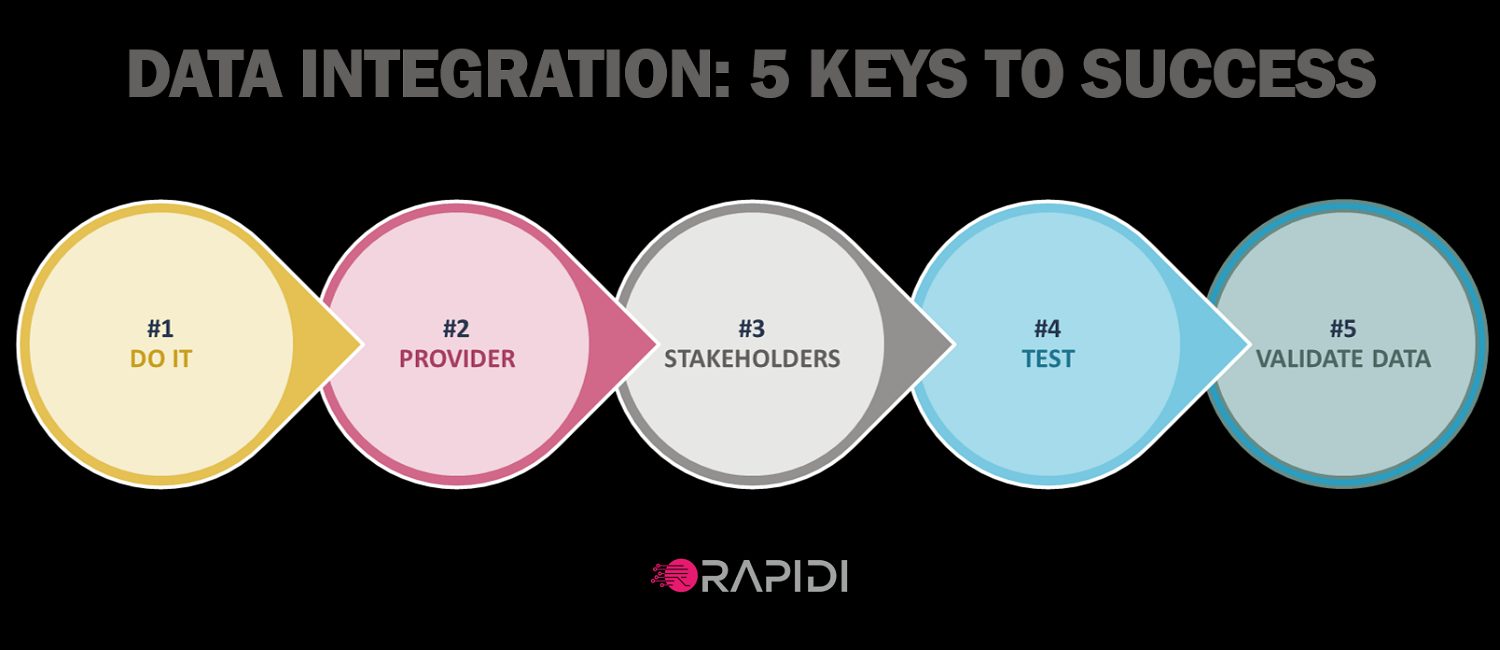
5 keys to data integration success
To learn more about the success of data integration projects, it is important to study the cases of companies that have experienced such success.
Read the article →
Can you avoid complex system integration?
Too often, data integration has been associated with complex, slow and frustrating projects, with delays and scary learning and deployment curves.
Read the article →
6 signs you really need CRM
After a few decades of existence, there is no doubt that CRM has been a game-changing tool for companies. CRM (Customer Relationship Management) is the biggest software on the market. CRM has helped organizations worldwide focus on relationships with customers, grow faster and work smarter.
Read the article →
WHY DATA DRIVEN COMPANIES OFFER BETTER CUSTOMER SERVICE
IT leaders all over the world have a strong focus on providing management with better information. Reliable data empowers business executives to make better decisions.
Read the article →
Best way to deal with system integration and system updates
When all your systems work together as one, they support your company processes and your business ambitions in the most optimal way. This is what system integrators can provide you. A good system integrator like RapidiOnline will help you integrate any systems, for example Salesforce with Microsoft Dynamics ERP, or any CRM with any ERP.
Read the article →
How to protect the value of your data
Data is a substantial company asset, just like people, time and money. No company should gamble with their data or their data security. Instead, all companies should invest in improving data quality and start fueling this data in their sales processes.
Read the article →
The best Salesforce – Microsoft Dynamics NAV integration
Salesforce is the CRM solution that has helped thousands of companies improve and streamline their CRM operations. Likewise, Microsoft Dynamics ERP is the solution of choice for companies that want to streamline their business operations.
Read the article →
Software integration: the ultimate Q&A
Data integration and software integration have become much more than buzz words. Integration has become a systematic part of most companies' business transformation plans. This is because people have understood that data transformation and business processes optimization are closely linked.
Read the article →
The AI revolution in CRM
If Artificial Intelligence (AI) seemed taken from a sci-fi book a couple of decades ago, it has today become a fact. AI is an integral part of our everyday life. The progress in the domain of machine intelligence has been such that the younger generations have started taking it for granted.
Read the article →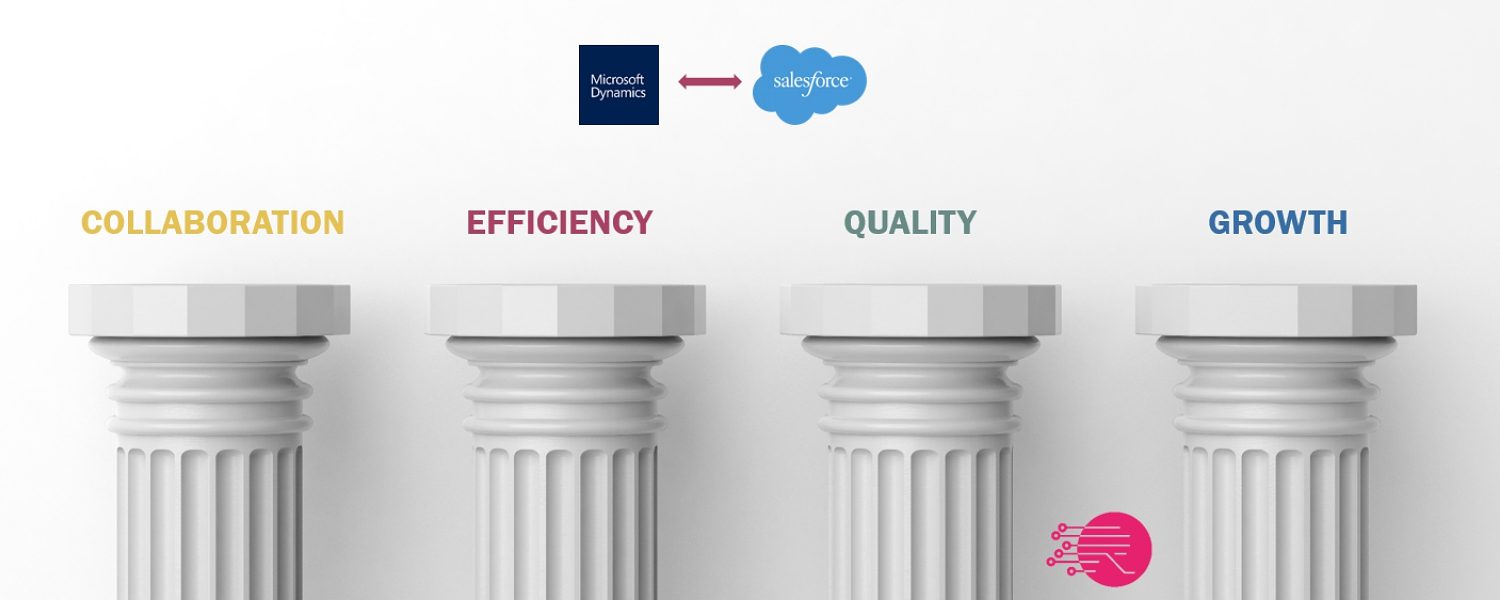
4 pillars of Salesforce-Microsoft Dynamics ERP integration
You may ask yourselves “Why integrate Salesforce and Microsoft Dynamics” – you might even have worked years with these two systems in parallel without any link between them. The obvious answer is “to avoid double data entries”. Eliminating double data entries means that you do not have to key in the same data in multiple systems, and you get that because your systems are integrated. Typically, what you will experience is that with integrated solutions, you also have consistent data. Consistent data is data that you can trust, upon which you can make better business decisions.
Read the article →
Advantages of Integrated Systems For Your company
System integration has become a relevant topic for most IT leaders worldwide. Why? Simply because companies have invested in a range of small and large systems to increase productivity and streamline operations.
Read the article →
Make Salesforce even more clever
Salesforce is an excellent system. However it does not support all of your company’s functions. You are perhaps using an ERP system (for example Microsoft Dynamics) in parallel to Salesforce to take care of your accounting, your inventory or your fulfilment. Wouldn’t it be great to be able to bring this information into Salesforce, to get everything at one place?
Read the article →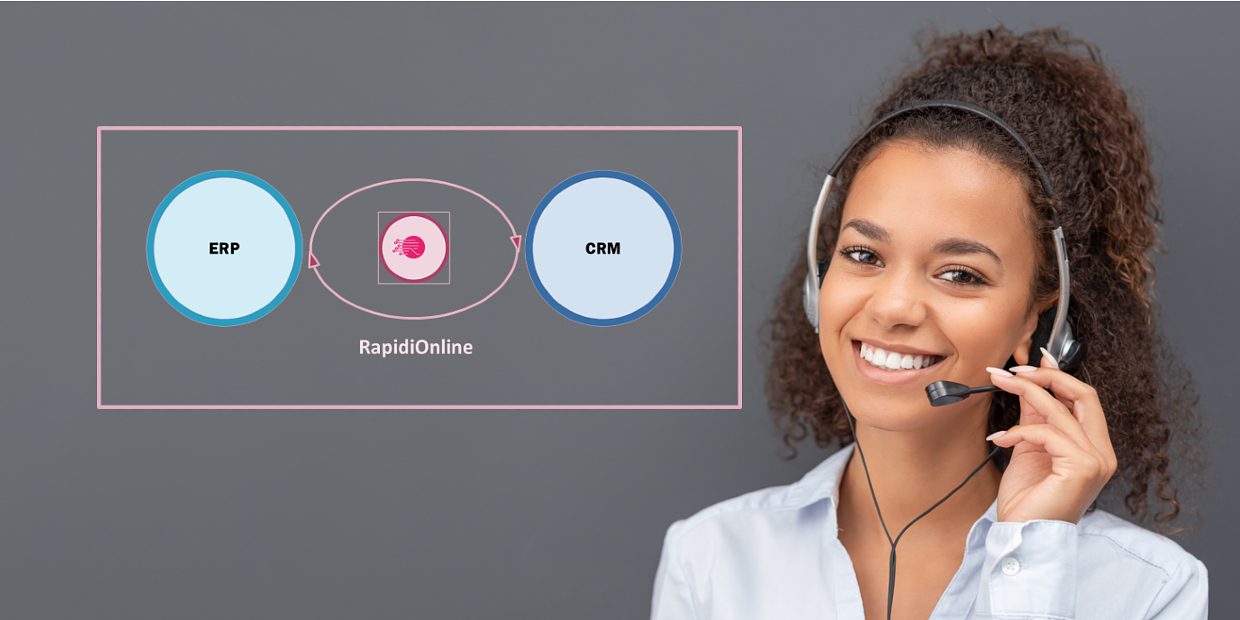
How to choose a data integration consultant
Today, companies use an increasing number of data sources. They must control data quality and have a unified view of their data and a good master data management strategy. In the era of big data, integrating systems is often the right solution to keep data in sync, current and valid.
Read the article →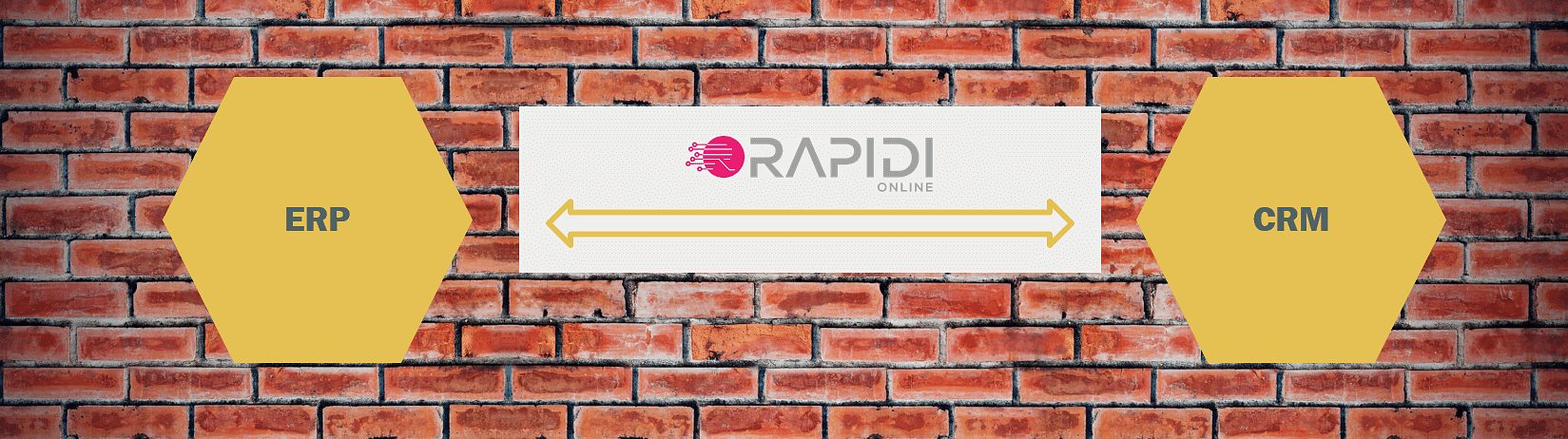
How to make your data integration solution robust
Companies worldwide use specialized systems like ERP, CRM or other data centers to support the necessary process of digitization, globalization or general decentralization of their business processes. If these systems are used as stand alone without any integration, this can create silos of data, which would seriously jeopardize the investment in these systems.
Read the article →
Get a step closer to your customers with ERP-CRM integration
How many efforts do your salespeople make every day to know their clients better? I’ve spent most of my career in sales, both as sales guy and as sales director. Along the years, I have had the opportunity to observe many interactions between salespeople and their clients. One thing that has always been striking me is that, often, the little things we do in an effort to get closer to our clients are those that make a huge difference in our relationship with them and eventually in their likelihood to purchase our products or services. In my experience, turning the vendor-customer relationship into a partnership is the most efficient sales approach.
Read the article →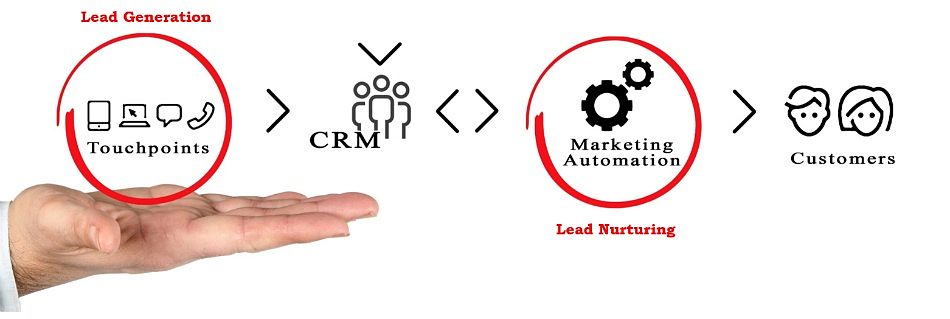
What to do with cold leads – or the wonders of lead nurturing
The biggest challenge of marketers today is not necessarily about lead generation. In the past decades, it has become easier for organizations to attract new potential customers online. The internet has drastically changed the purchasing behavior, allowing people to find information, compare and analyze various offerings by themselves. Many companies have understood that investing in analytic and SEO optimization tools can help increase lead generation exponentially.
Read the article →
BEST SALESFORCE - MICROSOFT DYNAMICS AX INTEGRATION
If you have invested in top rated CRM and ERP systems such as Salesforce and Microsoft Dynamics AX, you need the two systems to be in sync. This will allow you to get the most out of your investment. But do you know how to choose the best Salesforce - Microsoft Dynamics AX integration?
Read the article →
Integrated systems keep trucks and trailers moving (case story)
What do you do when you want to improve your sales process but are limited by the data silos in your company? Finding a way to eliminate the data silos is a good place to start, but how do you do it? This is exactly the situation that one of our customers, idem telematics, was facing before they got in touch with us.
Read the article →
MS Dynamics CRM vs Salesforce
Microsoft Dynamics and Salesforce are two of the most popular CRMs around, and there is a longstanding rivalry between them. Both systems allow users to pick and choose the modules they need, or to buy the whole package. They both offer very similar features, like account management and sales forecasting.
Read the article →
How never to lose a prospect: the promise of lead nurturing
Have you ever felt that you do not get enough out of the pipeline your marketing activities generate? Know the feeling? Some time ago, I had a look into our Salesforce and started to analyze what goes wrong, where and how it can be improved. I quickly identified some areas of interest that can be easily solved with the right effort. This blog is about how to get the most out of your lead generation effort.
Read the article →
Get the full benefits of Salesforce Sales Cloud Lightning
You have probably already heard about Salesforce Sales Cloud Lightning and know that it is designed around the way you want to sell, and put data where you need it. But did you know that you can experience a lot of new benefits by combining this new user experience with a data integration tool such as RapidiOnline and thereby bringing data from other complementary systems into Salesforce?
Read the article →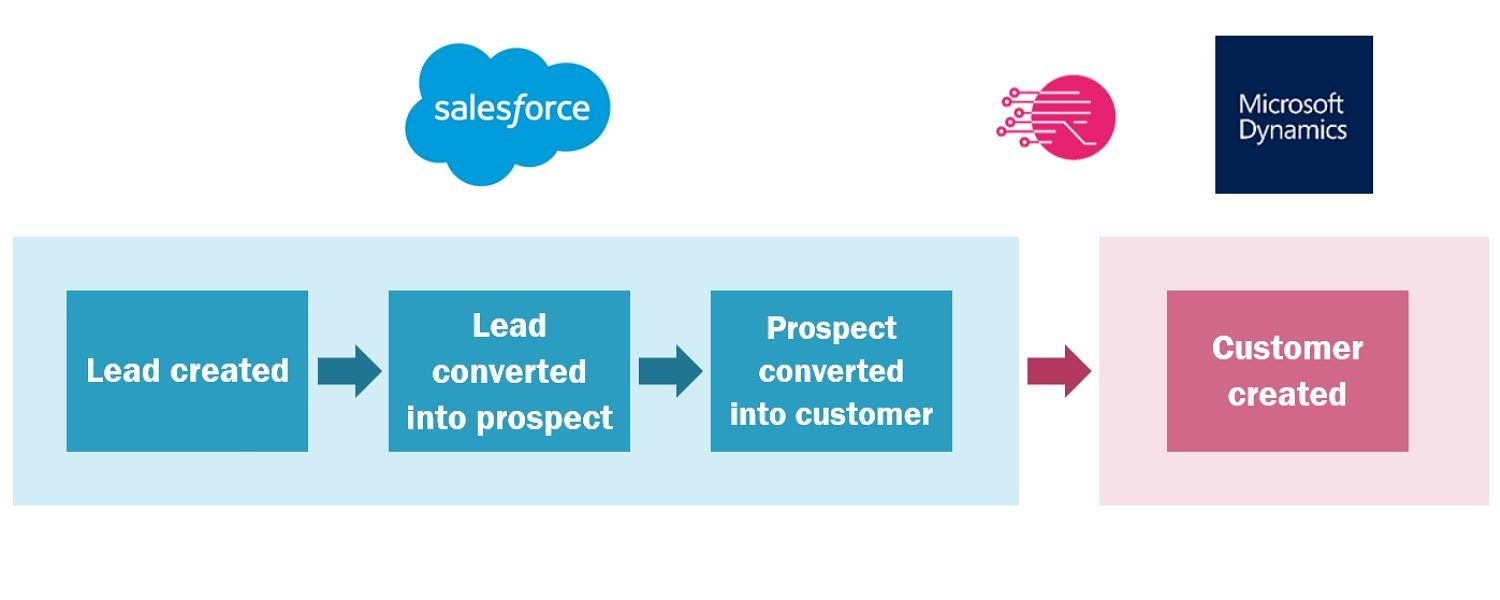
How to integrate Accounts and Contacts between Salesforce and Microsoft Dynamics?
How difficult can it be to integrate accounts in Salesforce with customers in Microsoft Dynamics (or any other ERP system for that matter)? Not that difficult at first glance, you might say. And I tend to agree. See, a typical flow around account creation looks like this in your Salesforce CRM and Microsoft Dynamics ERP systems:
Read the article →
Best Microsoft Dynamics GP - Salesforce integration
Microsoft Dynamics GP (formerly known as the Great Plains ERP solution) is widely used and its installed base is spready out throughout many countries in the world. Companies using Dynamics GP often need a CRM system to support their sales and marketing efforts and optimize customer relationships and business processes.
Read the article →
When you think you are forced to upgrade your ERP and then this happens...
Everybody running an ERP system is at least once a year asked if they want to upgrade their system. On the one hand you may be tempted to do so as you would like to take advantage of the new features, but the benefits have to exceed the total price of upgrading. And the price for an ERP upgrade, together with the risk of negative impact on the business during the upgrade process onboarding the new version, often prevents organizations from doing this yearly update. Luckily.
Read the article →
Is MS Dynamics CRM the only wise choice when you have a Dynamics ERP?
Many companies across the globe are using an ERP solution to improve the efficiency of processes across their businesses – from accounting to warehouse to inventory to fulfillment. When they have reaped the benefits that an ERP solution can give them, they soon get interest in a CRM solution to complement their ERP and bring them a new focus on customer-relationship processes and data.
Read the article →
What is data integration? 12 definitions to get a better understanding
In the past few years, the volumes of data used by organizations has grown exponentially. Let’s face it: it has become vital for organizations to understand their data sets and organize them. In parallel with this phenomenon, a new series of data integration disciplines have developed with a whole new jargon: data migration, data warehousing, data synchronization, big data and business intelligence (just to name a few) have become such a hype. What is data integration really? I have put together a glossary of the most common data integration terms for a while... Here it is.
Read the article →
What should your Salesforce.com – Microsoft Dynamics integration look like?
Read the article →

Integrating with Dynamics 365 for Finance & Operations: dealing with missing timestamps
Anyone who has tried to make a data integration with Microsoft Dynamics 365 for Finance and Operations has met the obstacle, that the system does not support timestamp. That makes it troublesome to identify new and modified data. There are several ways to solve this.The problem is that if you don't want to transfer an entire table every time you want data synchronized, then you need a way to detect, which data is modified or added.
Read the article →
Why integrating your ERP and CRM systems is an absolute must (case story)
“I would never go back to a world of not having this integration”… this was the overwhelmingly positive feedback one of my customers gave me during a follow-up call. See, when we have performed a system integration for a client, I like to schedule a call where we go through what has been good, what has been challenging, and any way we can improve. That allows me to check that we have delivered on our promises, and if not, make sure that we can take actions to satisfy a potentially frustrated client.
Read the article →
Do you need real time data integration?
Most of the IT executives that are looking for a data integration system want to have real time integration. While it is often what they want, it is rarely what they need.
Read the article →
Salesforce or Microsoft Dynamics 365 CRM: best choice?
What is the best Customer Relationship Management (CRM) tool in 2020? Is it different from 2019? How can you select the best CRM solution for your company? Many of the companies that are using Microsoft Dynamics as their ERP are wondering if Microsoft Dynamics 365 CRM is the best solution for them, or if they should select another of the proven CRM software available, such as Salesforce or NetSuite. Websites such as Capterra provide detailed software comparisons, including for CRM solutions. For example, if you are wondering how NetSuite and Salesforce compare, you can have a look here.
Read the article →
How long does it take to integrate Salesforce with Microsoft Dynamics?
All people that have been looking into any Salesforce-ERP data integration project have been asking themselves this question: how long will it take? And the answer is obviously “it depends”. But all in all, integrating Salesforce with Microsoft Dynamics ERP can be done pretty fast using RapidiOnline.
Read the article →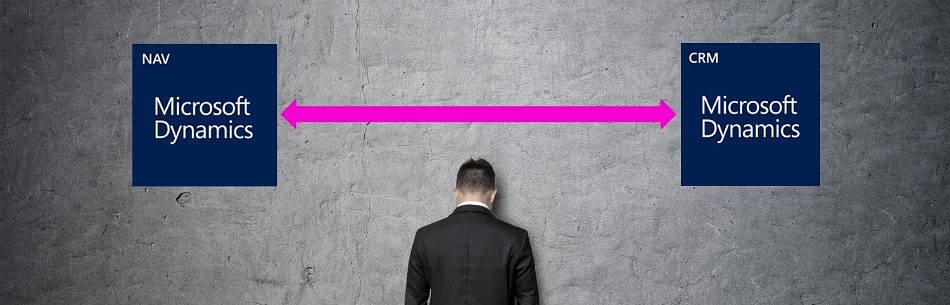
Microsoft Dynamics NAV – CRM integration: native connector vs data integration platform
Anyone who has been following the struggles to successfully integrate Microsoft Dynamics NAV (NAV) and Microsoft Dynamics CRM since Microsoft Dynamics CRM was released in 2003 (at that time branded “Microsoft Business Solutions Customer Relationship Management 1.0) knows that it has been uphill to integrate the two systems with the standard integration. First there was no integration at all. Some partners tried to make a connector but the first many years, it was unstable and not generic enough.
Read the article →
How to Connect Salesforce with Microsoft Dynamics
When you connect Salesforce with Microsoft Dynamics, you share data between the two systems. This makes it simple for you to communicate with your customers, enable your teams to work together more effectively and achieve your business goals. The easiest way to connect Salesforce and Microsoft Dynamics is via RapidiOnline.
Read the article →
How to integrate Salesforce with Microsoft Dynamics NAV?
Are you tired of looking for information in multiple systems to service your customers? Would you like to remove double data entries? Do you want to provide your staff with data they can trust? Wouldn't it be wonderful to have your Salesforce quotes automatically transferred to Microsoft Dynamics NAV as new orders? A Salesforce - Microsoft Dynamics NAV integration solution can solve these pains for you. Data integration projects have the reputation to be long, cumbersome and expensive. Some say data integration can put your data at risk. Many data integration solutions can allow you to integrate with Salesforce or to integrate with Microsoft Dynamics NAV. In fact, integrating Salesforce with Microsoft Dynamics is much easier than most people think.
Read the article →
Do you need both ERP and CRM? A close look with Rapidi
Do you absolutely need to have both ERP (Enterprise Resource Planning) and CRM (Customer Relationship Management)? Isn’t it enough to use just one of them? As a stakeholder in a business, you're best placed to understand the value you get from ERP and CRM systems, and whether you need both of your current solutions.
Read the article →
5 best kept secrets of Salesforce-MS Dynamics integration
When you want to integrate Salesforce with Microsoft Dynamics ERP (whether it is AX, GP, NAV, 365 Business Central or 365 for Finance and Operations), you want to work with the experts. The keys to the success of your project lie in the details and the full understanding of the systems you integrate.
Read the article →
RapidiOnline, supporting Xsens’ data integration needs for over a decade
Xsens, a leader and innovator in the field of 3D motion tracking technology and products, has been using RapidiOnline for ten years, with great success. Xsens originally considered single-vendor solutions for their ERP and CRM needs, such as SAP. But even though these tools can be very powerful, they also tend to be more expensive, and less flexible. Instead, they chose to implement Salesforce and connect it to their Microsoft Dynamics NAV, using RapidiOnline – which they did with great success and did not regret. 10 years later, even after a significant upgrade to Microsoft Dynamics NAV 2018 and a changes to Salesforce due to new NAV capabilities, they are still RapidiOnline fans.
Read the article →
Bad data issues? Solve them with data integration
Bad data can completely undermine your sales efforts. Research from Experian Data Quality has shown that the average company loses 12% of its revenue as a result of inaccurate data. 95% of organizations see negative impacts from poor data quality, resulting in wasted resources and additional costs, ineffective business initiatives, poor customer experience, delayed data migration projects, and much more.
Read the article →
Why Data Integration is Key to Work Process Improvement
Where on your to-do list is data integration, and do you see it as important to work process improvement?Maybe you feel that it would be useful, but it’s not really essential. You’ll get around to it, but you’ve got other priorities for your time and budget right now. Plenty of business owners feel that way. And that’s understandable. After all, you’re getting by OK now without it. Things could sometimes run a little smoother, sure. But how much difference could data integration really make?
Read the article →
3 steps to get started with your Salesforce – MS Dynamics ERP integration
When you first started using salesforce.com and Microsoft Dynamics in your business, you probably found that using those systems made running your business much easier. But as your business grows, using systems like these in isolation from each other can actually start to make life more complicated. As different teams collect, record and use data in different ways, it’s hard to know how to make systems work together. The answer is a Salesforce ERP data integration. This simple integration allows you to bring together all the vital data you need in one place from Salesforce and your ERP. No more worrying about how to share information between teams, no spending hours copying data manually and no mistakes. Just real-time, automated sharing.
Read the article →
The future of Salesforce-Microsoft Dynamics integration
During Dreamforce 2016 I had a mission to understand how the future integration needs of companies will evolve in the next 2-3 years and what impact this evolution will have on their integration strategy. Analyzing the various sources of opinions regarding future integration needs, it came out as a pretty consistent picture.
Read the article →
Salesforce-MS Dynamics integration - Live Demo
Is it easy to integrate Salesforce with Microsoft Dynamics? It can definitely be! A system like RapidiOnline offers a no-programming, simple and fast integration option that can be used ‘out-of-the-box’, or customized and scaled to fit almost any business in a matter of days. Interested in learning more? Want to see how it works? Watch this video...
Read the article →
Boosting sales with Salesforce - NAV integration (case story)
World leader in technical embroidery, ZSK Embroidery Machines needed an upgrade of the IT tools available to their sales team. The company already had a Microsoft Dynamics NAV installation that could be used by the sales team... with effort. Since Sales Reps didn't have access to NAV they had to phone or e-mail someone on the Finance team to get the data or reports they needed. Today, they have implemented Salesforce and RapidiOnline and can report that their sales team gets more information than ever before. They are very close to a true 360 degree view of each customer.
Read the article →
All you ever wanted to know about Salesforce - Microsoft Dynamics integration
Can data integration really help you optimize processes between your Salesforce and your Microsoft Dynamics? Which processes? Can it get you a step closer to your customers and help you reach your sales goals? Can’t you successfully operate with stand-alone, isolated systems?
Read the article →