
How to uninstall the RapidiConnector locally
In order to uninstall a RapidiConnector locally, you would need to go through the following steps:
Note: Before uninstalling any connectors, make sure that they are not being used by any of your current Rapidi transfers. If that’s the case, check your transfers in your Rapidi service and update/add the needed connections so your schedules do not fail due to the Rapidi connector(s) being offline.
Step 1: Log in to the server where the RapidiConnector is running;
Step 2: Open C > Program Files > RapidiConnector. From here, locate the file Rapidi64.cpl and run it as Admin as shown below:
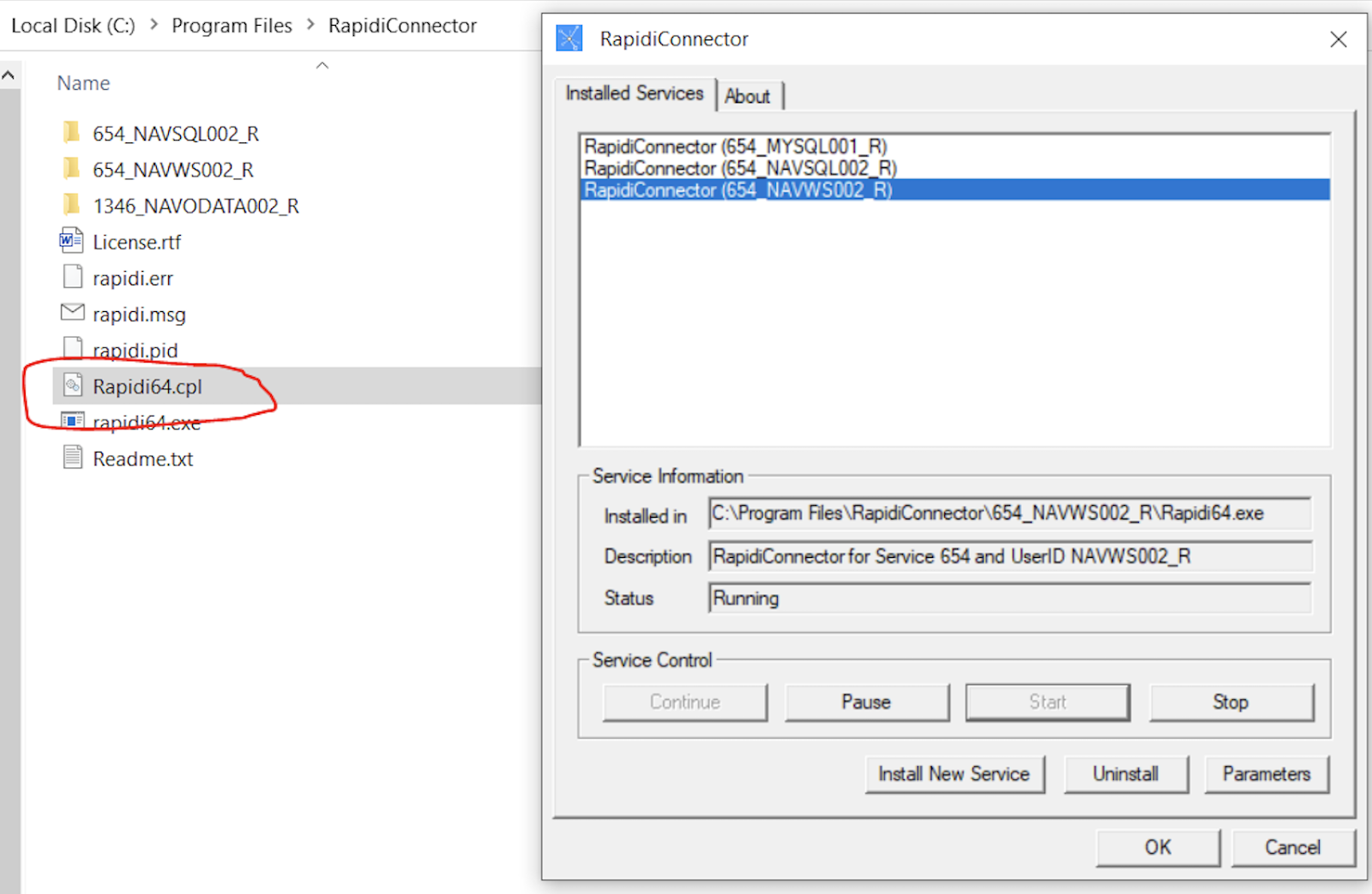
Step 3: The connector app will open (as shown above) and you will need to select the connector from the list (in your case should only be one or two);
Step 4: Select the connector that you want to uninstall and then click Stop.
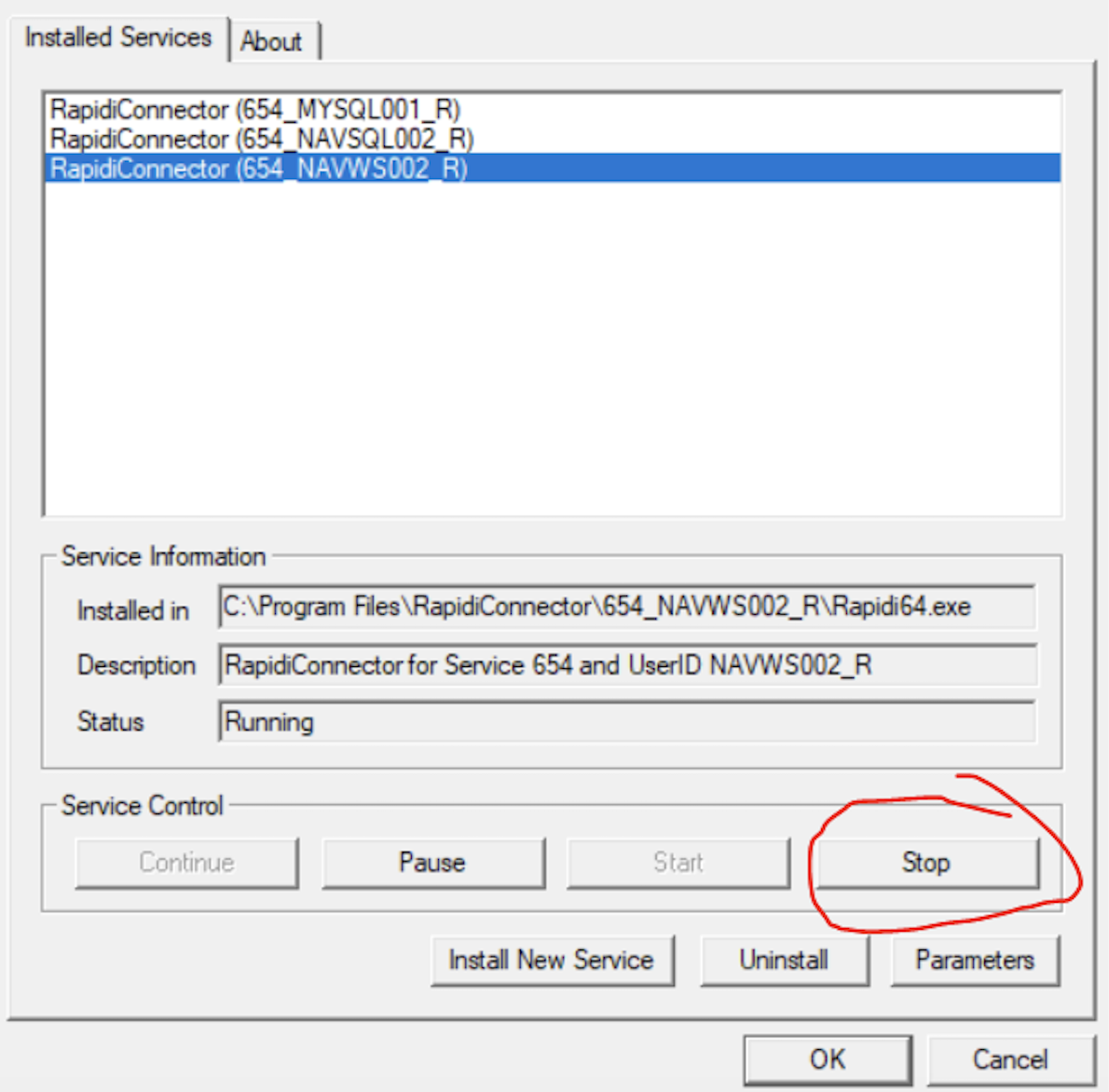
Step 6: Repeat steps 4 and 5 for other connectors (if there are any other connectors).