Improved Flexibility Working With MyRapidi Tags: Generate a Single 'Tag Values' Line
We now have added more flexibility into the Tags section as some customers use Tags differently from what was originally intended.
For example some customers do not have a 'Connection' as a primary Tag Field, but create Tags to be able to run with a specific set of Tag Values.
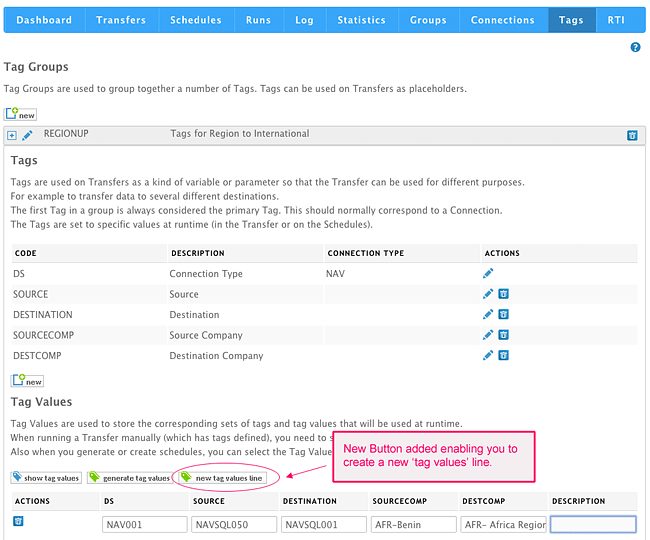
We have now added the possibility to create a single 'Tag Values' Line.
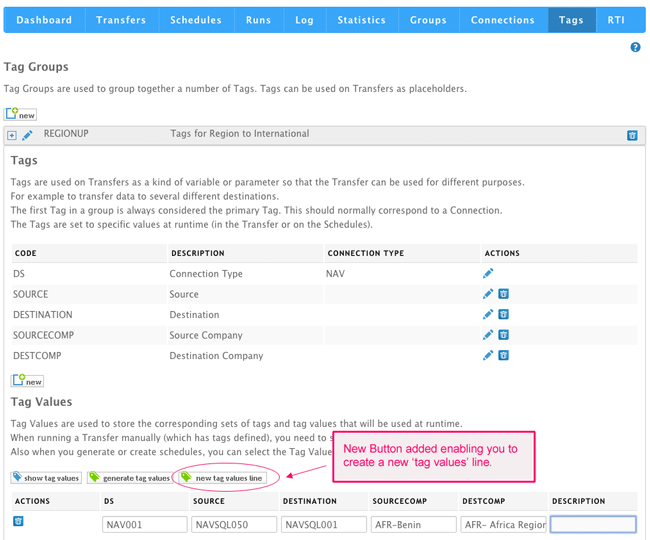
This feature give you the possibility to work with Tags more freely without having a Connection as primary Tag Field.
Also if you e.g. have several NAV Connections added as Tag Lines already and just would like to add an additional line for a new NAV Connection, then you can do so by adding a new 'Tag Values' Line.
We hope you like this feature. Any comments are welcome. Please send feedback directly to us or write a comment below.
Learn more about our MyRapidi Configuration Interface by signing up for our live webinar series. Sign up here.