ERP-CRM integration

What Are the 9 Most Common ERP‑CRM Integrations?
Most companies don’t realize that ERP-CRM integration projects can be implemented without changing a single line of code in your programs.
Read the article →
Salesforce Field Service ERP Integration: A Practical Guide
Field service teams and finance teams often work in two separate systems. Salesforce Field Service runs the jobs out in the field, while your ERP runs the money side, like orders, invoices, and pricing. This guide shows how to connect the two, so a job done in the field flows straight through to billing in your ERP, and finance data flows back to your technicians.
Read the article →
Multi-Entity CRM and ERP Integration: How to Route Data Across Legal Entities Without Rebuilding
To integrate a multi-entity setup, build a single integration with entity routing, then reuse it across all legal entities. You do not need a separate project per company. A platform like Rapidi identifies which legal entity each record belongs to and automatically routes deals, quotes, orders, customers, and invoices to the correct company in your ERP, adjusting only the company, currency, and item codes per entity. This eliminates misrouted records, duplicate customers, and the month-end intercompany reconciliation that drains finance teams.
Read the article →
ERP - CRM integration: How should data flow between systems?
Data between ERP and CRM systems should flow in a structured and bidirectional way, sharing key information like customers, orders, products, and payments in real time to eliminate manual work, ensure data consistency, and support better business decisions across teams.
Read the article →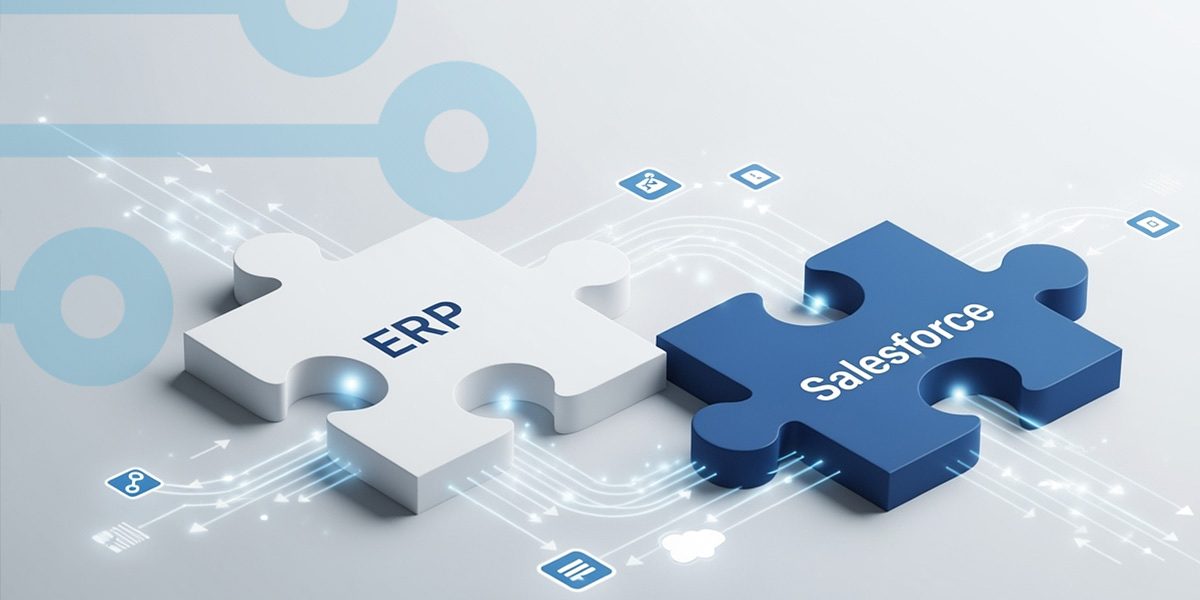
What is an ERP Integration with Salesforce in 2026 and beyond?
An ERP Integration with Salesforce means connecting Salesforce with ERP systems so customer, sales, finance, inventory, and order data stay automatically synced in real time. This removes manual data entry, reduces errors, and ensures all teams work with the same up-to-date information.
Read the article →
How lead to invoice can improve your ERP-CRM Integration Process
Integrating ERP and CRM systems is one of the most effective ways to streamline business operations. Most integration projects share a common goal: eliminating manual work and connecting data across departments.
Read the article →
How to Integrate Salesforce with Microsoft Dynamics 365 (ERP Use Case)
Varitronics integrated Salesforce with Microsoft Dynamics 365 Business Central by keeping Salesforce as the CRM, replacing their former Salesforce-based ERP, Ascent, with Business Central, and using Rapidi to connect the two. This gave sales, finance, and operations one connected process without manual re-entry, while allowing each system to stay focused on its own role.
Read the article →
Integrate Salesforce & Dynamics 365 ERP in 3 Steps
Connecting Salesforce with Microsoft Dynamics 365 ERP can transform how your teams work -breaking down silos, eliminating double data entry, and giving everyone access to the same up-to-date information. But where do you start?
Read the article →
Hubspot + Microsoft Dynamics 365 ERP Integration Guide
Businesses that, e.g., use HubSpot to manage their customer relationships and marketing, but then also use an ERP system (such as e.g., Microsoft Dynamics 365 Business Central, Finance, etc.) for their finance operations, experience a lack of cohesion in their data, needing to update their data manually, as those two systems are not connected. This converts into inefficiency in their business processes and missed opportunities.
Read the article →
Step-by-Step Guide: Salesforce to Dynamics 365 Integration
Some data integration projects can be complex and even become a complete mess if not managed properly and efficiently. Often, the success of a data integration project (for example a Salesforce ERP integration) starts with the quality of your data. It is recommended to do a thorough data clean up before getting started. This way, your integration project will not solve your data quality issues, it will only make them more visible. When data quality is in place, you can easily avoid troubles by following a structured approach. A good way to is start by defining the touch points and data integration routes you want to support.
Read the article →
Master the Art of HubSpot and Microsoft Dynamics 365 Integration
In our last blog post, we explored the step-by-step process of integrating HubSpot with Microsoft Dynamics 365 Business Central - a powerful combination that streamlines processes, improves data accuracy, and enhances CRM capabilities.
Read the article →
Why Integrate HubSpot and MS Dynamics 365 Business Central?
If you use HubSpot and Dynamics 365 Business Central, there are many benefits to integrating the two systems: you keep data consistent, improve collaboration between sales and finance, and get a complete view of customers for better decision-making.
Read the article →
Choose your Salesforce Dynamics 365 BC Integration Solution
Many Salesforce integration tools can help you integrate your Salesforce CRM with your ERP solution. Some offer a broad data integration platform that lets you integrate with a wealth of other solutions.
Read the article →
Benefit & Advantages Of Data Integration
This article explores the significant advantages of integrating ERP and CRM data systems by highlighting six key benefits, such as improved efficiency, seamless data sharing, and enhanced decision-making capabilities. By integrating these systems, businesses can eliminate manual data handling, reduce errors, and empower their teams with real-time access to crucial information, ultimately driving growth and competitive advantage.
Read the article →
Real-life benefits of Salesforce-Microsoft Dynamics NAV integration
A couple of years ago, I implemented a CRM system for my former company, and just as I am writing this blog article, I’m in the middle of rethinking my company’s pipeline management strategy and systems. Through these projects, I have realized that developing opportunities can easily be done within Salesforce and other CRM systems because often the process starts there. However in order to deliver great service to your customers in the long term, you need to integrate your ERP and CRM systems.
Read the article →
Salesforce - Microsoft Dynamics 365 Data Migration: Why and How?
Companies nowadays have to deal with vast amounts of data. Consequently, big data, data storage, data management, and data migration have become topics of the utmost importance for business leaders. Maintaining a high level of data quality is crucial. Organisations must find the best data storage solution and software solutions such as ERP, CRM, WMS, etc.Assembling the perfect set of solutions sometimes means moving data from one location to another, from one system to another. A company could be changing CRM systems from Microsoft Dynamics 365 to Salesforce. Or from Salesforce to Microsoft Dynamics 365 Sales. It could be a strategic decision or the result of a merger.Because a company’s data is one of the most valuable assets, data migration has to be performed most securely. That’s why selecting a data migration solution provider with extensive experience and robust data integration technology becomes a must.
Read the article →
Maximizing ROI: Integrating Salesforce and ERP Systems for Success
There are many reasons to integrate Salesforce with ERP solutions, such as Microsoft Dynamics ERP (Dynamics 365 product suite such as Dynamics 365 Business Central, Finance (former Finance & Operations), Sales (former CRM), NAV, AX, GP). Integrated solutions provide accurate data to your staff.
Read the article →
How To Boost Sales With CRM And ERP Integration
Sales organizations worldwide experience increasing pressure from their management to sell more, sell better and sell faster. Sales targets are higher and higher. Sales executives must be more effective and reduce sales operating costs.
Read the article →
Choosing A Microsoft Dynamics Salesforce Integration Tool
When integrating Microsoft Dynamics and Salesforce, not all data integration tools will ensure data quality in a fast and smooth way. Most data integration software enable Salesforce–Dynamics integration in its most basic form.
Read the article →
Connect Salesforce with Microsoft Dynamics and Grow Your Business
Companies can benefit from integrating their ERP with their CRM in multiple ways. And in fact, the motivations behind ERP-CRM integration projects can vary depending on the size, region, or industry of a company.
Read the article →
Salesforce ERP integration can be done easily
Salesforce.com is a Cloud CRM solution used by businesses around the world to connect better with their customers and grow. The Salesforce team knows that their users often need to expand Salesforce.com’s capabilities with add-ons or even integrate Salesforce.com with other applications. This can help them get the best results and achieve their business goals.
Read the article →
CRM ERP INTEGRATION TO BOOST CUSTOMER SERVICE
Customer service is or should be a priority of all business leaders. Excellence in customer service is a key to long term commercial success.
Read the article →
SYSTEM INTEGRATION: CAN YOU AVOID INTEGRATING ERP & CRM?
A simple 5 minutes’ research on Google can show you the endless benefits of data integration. Still, you have not jumped the gun yet. Your ERP and CRM systems still stand as independent systems, without automated integration.
Read the article →
Best way to deal with system integration and system updates
When all your systems work together as one, they support your company processes and your business ambitions in the most optimal way. This is what system integrators can provide you. A good system integrator like RapidiOnline will help you integrate any systems, for example Salesforce with Microsoft Dynamics ERP, or any CRM with any ERP.
Read the article →
The best Salesforce – Microsoft Dynamics NAV integration
Salesforce is the CRM solution that has helped thousands of companies improve and streamline their CRM operations. Likewise, Microsoft Dynamics ERP is the solution of choice for companies that want to streamline their business operations.
Read the article →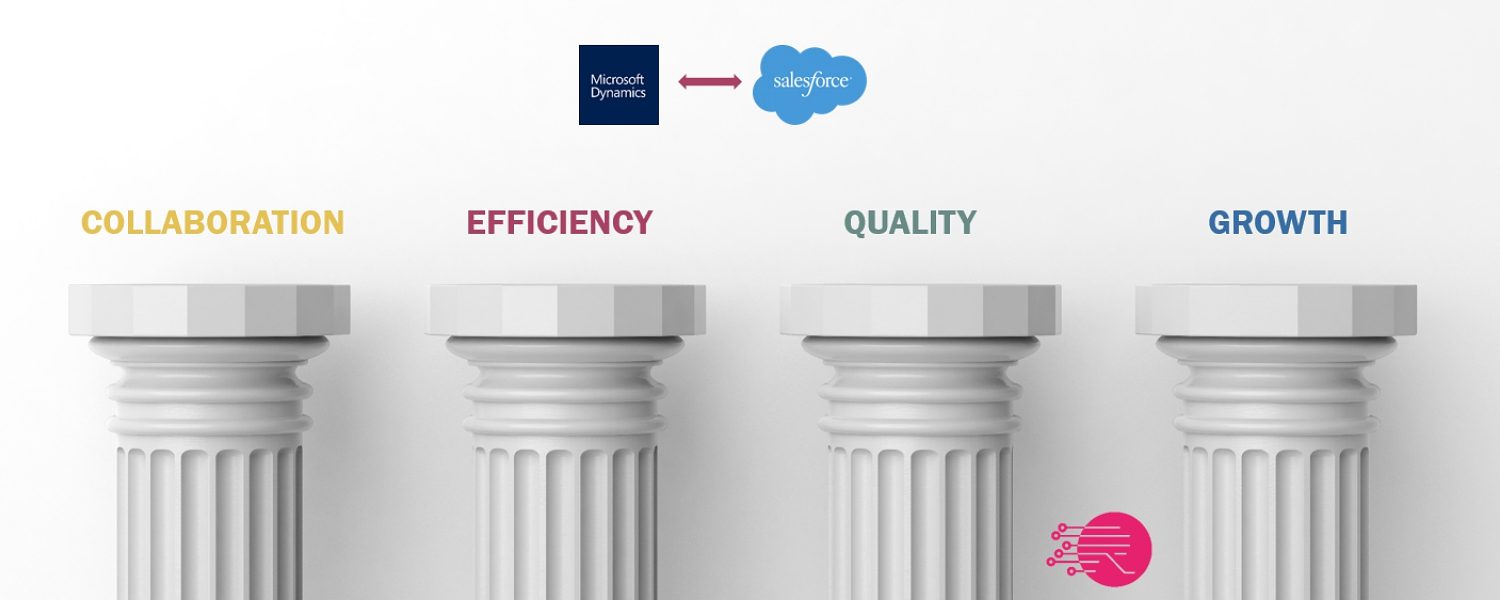
4 pillars of Salesforce-Microsoft Dynamics ERP integration
You may ask yourselves “Why integrate Salesforce and Microsoft Dynamics” – you might even have worked years with these two systems in parallel without any link between them. The obvious answer is “to avoid double data entries”. Eliminating double data entries means that you do not have to key in the same data in multiple systems, and you get that because your systems are integrated. Typically, what you will experience is that with integrated solutions, you also have consistent data. Consistent data is data that you can trust, upon which you can make better business decisions.
Read the article →
Get a step closer to your customers with ERP-CRM integration
How many efforts do your salespeople make every day to know their clients better? I’ve spent most of my career in sales, both as sales guy and as sales director. Along the years, I have had the opportunity to observe many interactions between salespeople and their clients. One thing that has always been striking me is that, often, the little things we do in an effort to get closer to our clients are those that make a huge difference in our relationship with them and eventually in their likelihood to purchase our products or services. In my experience, turning the vendor-customer relationship into a partnership is the most efficient sales approach.
Read the article →
BEST SALESFORCE - MICROSOFT DYNAMICS AX INTEGRATION
If you have invested in top rated CRM and ERP systems such as Salesforce and Microsoft Dynamics AX, you need the two systems to be in sync. This will allow you to get the most out of your investment. But do you know how to choose the best Salesforce - Microsoft Dynamics AX integration?
Read the article →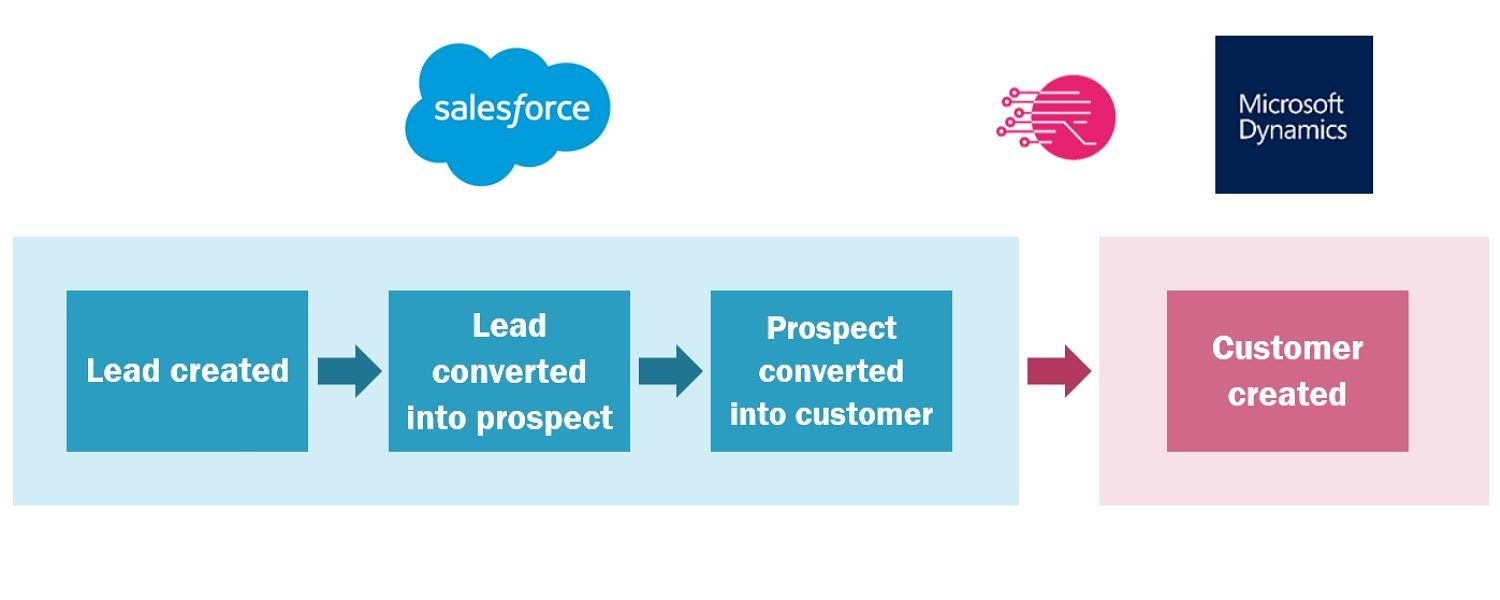
How to integrate Accounts and Contacts between Salesforce and Microsoft Dynamics?
How difficult can it be to integrate accounts in Salesforce with customers in Microsoft Dynamics (or any other ERP system for that matter)? Not that difficult at first glance, you might say. And I tend to agree. See, a typical flow around account creation looks like this in your Salesforce CRM and Microsoft Dynamics ERP systems:
Read the article →
Best Microsoft Dynamics GP - Salesforce integration
Microsoft Dynamics GP (formerly known as the Great Plains ERP solution) is widely used and its installed base is spready out throughout many countries in the world. Companies using Dynamics GP often need a CRM system to support their sales and marketing efforts and optimize customer relationships and business processes.
Read the article →
What should your Salesforce.com – Microsoft Dynamics integration look like?
Read the article →

How long does it take to integrate Salesforce with Microsoft Dynamics?
All people that have been looking into any Salesforce-ERP data integration project have been asking themselves this question: how long will it take? And the answer is obviously “it depends”. But all in all, integrating Salesforce with Microsoft Dynamics ERP can be done pretty fast using RapidiOnline.
Read the article →
How to Connect Salesforce with Microsoft Dynamics
When you connect Salesforce with Microsoft Dynamics, you share data between the two systems. This makes it simple for you to communicate with your customers, enable your teams to work together more effectively and achieve your business goals. The easiest way to connect Salesforce and Microsoft Dynamics is via RapidiOnline.
Read the article →
How to integrate Salesforce with Microsoft Dynamics NAV?
Are you tired of looking for information in multiple systems to service your customers? Would you like to remove double data entries? Do you want to provide your staff with data they can trust? Wouldn't it be wonderful to have your Salesforce quotes automatically transferred to Microsoft Dynamics NAV as new orders? A Salesforce - Microsoft Dynamics NAV integration solution can solve these pains for you. Data integration projects have the reputation to be long, cumbersome and expensive. Some say data integration can put your data at risk. Many data integration solutions can allow you to integrate with Salesforce or to integrate with Microsoft Dynamics NAV. In fact, integrating Salesforce with Microsoft Dynamics is much easier than most people think.
Read the article →
Do you need both ERP and CRM? A close look with Rapidi
Do you absolutely need to have both ERP (Enterprise Resource Planning) and CRM (Customer Relationship Management)? Isn’t it enough to use just one of them? As a stakeholder in a business, you're best placed to understand the value you get from ERP and CRM systems, and whether you need both of your current solutions.
Read the article →
5 best kept secrets of Salesforce-MS Dynamics integration
When you want to integrate Salesforce with Microsoft Dynamics ERP (whether it is AX, GP, NAV, 365 Business Central or 365 for Finance and Operations), you want to work with the experts. The keys to the success of your project lie in the details and the full understanding of the systems you integrate.
Read the article →
3 steps to get started with your Salesforce – MS Dynamics ERP integration
When you first started using salesforce.com and Microsoft Dynamics in your business, you probably found that using those systems made running your business much easier. But as your business grows, using systems like these in isolation from each other can actually start to make life more complicated. As different teams collect, record and use data in different ways, it’s hard to know how to make systems work together. The answer is a Salesforce ERP data integration. This simple integration allows you to bring together all the vital data you need in one place from Salesforce and your ERP. No more worrying about how to share information between teams, no spending hours copying data manually and no mistakes. Just real-time, automated sharing.
Read the article →
The future of Salesforce-Microsoft Dynamics integration
During Dreamforce 2016 I had a mission to understand how the future integration needs of companies will evolve in the next 2-3 years and what impact this evolution will have on their integration strategy. Analyzing the various sources of opinions regarding future integration needs, it came out as a pretty consistent picture.
Read the article →
All you ever wanted to know about Salesforce - Microsoft Dynamics integration
Can data integration really help you optimize processes between your Salesforce and your Microsoft Dynamics? Which processes? Can it get you a step closer to your customers and help you reach your sales goals? Can’t you successfully operate with stand-alone, isolated systems?
Read the article →