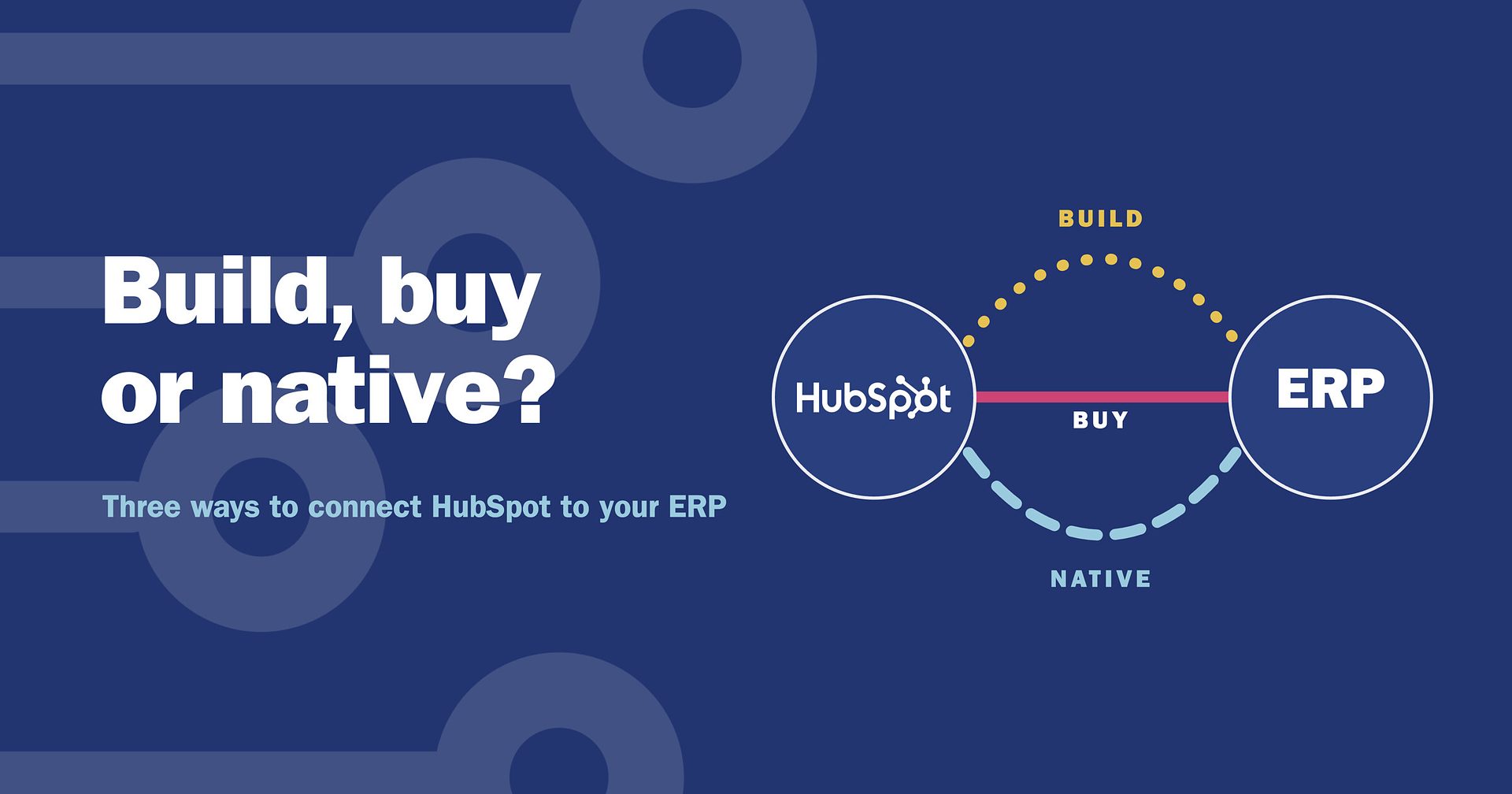
Build, buy or native? HubSpot Data Sync vs iPaaS vs custom API integration
If you use HubSpot and run an ERP, sooner or later someone asks how to get the two to talk to each other. Most build vs buy discussions forget a third option: HubSpot's own native app. This article compares HubSpot Data Sync, an iPaaS and a custom API integration on twelve criteria, and ends with a six-question checklist to take to any provider.
Short answer: there are three ways to connect HubSpot to an ERP. Install HubSpot's native app (HubSpot Data Sync), buy an integration platform (iPaaS) such as Rapidi, or build a custom API integration yourself. Native suits a basic cloud sync of contacts for one company. An iPaaS suits companies, orders and invoices across several ERP companies, in the cloud or on-premise. Building suits teams that can carry an open budget and the upkeep.
In our webinar on 28 October 2026, Beate Thomsen, co-owner of Rapidi, and Andreea Arseni, Senior Data Integration Consultant at Rapidi, compared the three approaches side by side, on the same criteria you would use to judge any software.
What is the difference between HubSpot Data Sync, an iPaaS and a custom API integration?
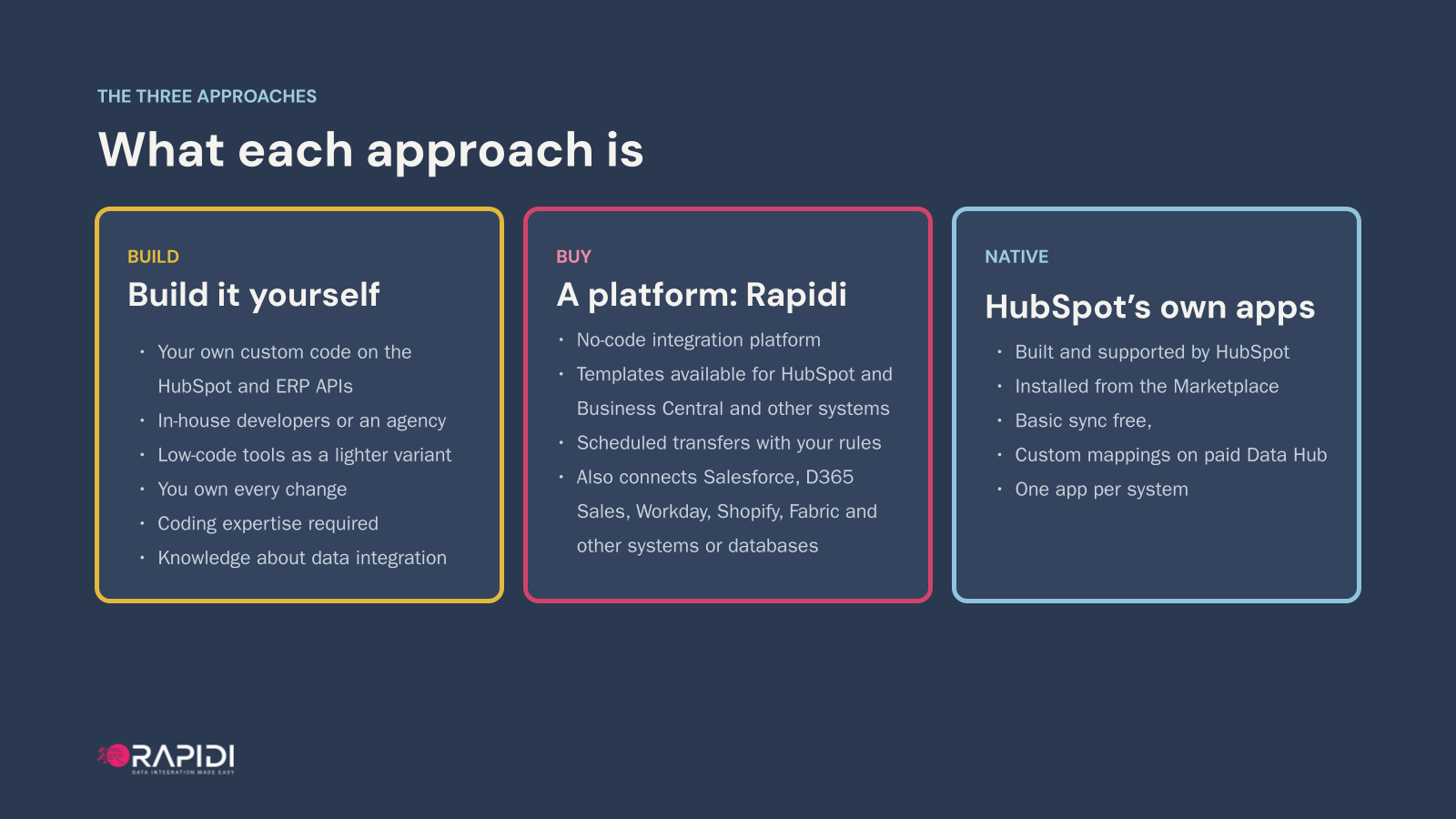
HubSpot Data Sync is the native app HubSpot makes for your ERP, an iPaaS is an integration platform you subscribe to, and a custom API integration is your own code on the HubSpot and ERP APIs.
- Build: a custom API integration, your own code on the HubSpot and ERP APIs, written by in-house developers or an agency. Low-code tools such as Power Automate, Zapier, Make or n8n are a lighter version of the same idea. Either way, you own every change.
- Buy: a no-code integration platform, or iPaaS, such as Rapidi, with ready templates for HubSpot and Microsoft Dynamics 365 Business Central. Data moves on a schedule, with your rules, and the same platform also connects Salesforce, Workday, Shopify, Microsoft Fabric and other systems and databases.
- Native: HubSpot Data Sync, the apps HubSpot builds and supports itself, installed from the HubSpot Marketplace. Basic sync comes with your HubSpot account, custom mappings need a paid Data Hub subscription, and there is one app per system.
Already decided and looking for the how-to for Dynamics 365? Read our HubSpot ERP integration guide.
How did we compare them?
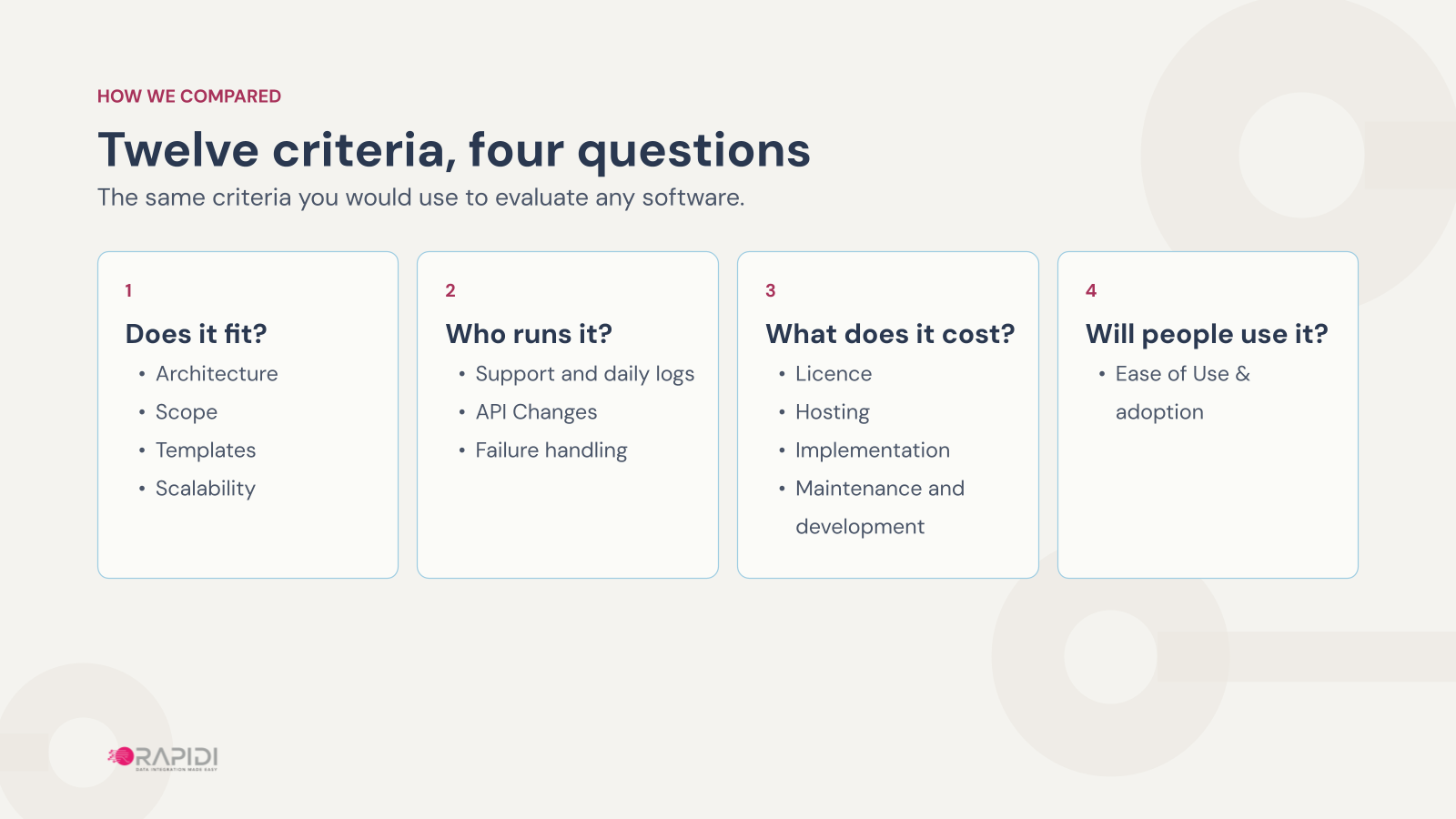
We used twelve criteria you would use to judge any software, grouped into four questions.
- Does it fit? Architecture, scope, templates and scalability.
- Who runs it? Support and daily logs, API changes and failure handling.
- What does it cost? Licence, hosting, implementation, and maintenance and development.
- Will people use it? Ease of use and adoption.
Does it fit your systems and your data?
Check where your ERP runs and which records you need first, because those two answers rule options out.
| Criterion | Build: custom API | Buy: Rapidi (iPaaS) | Native: HubSpot Data Sync |
|---|---|---|---|
| Architecture | Cloud or on-premise. On-premise means enabling the APIs and opening a port, or an always-on gateway server for low-code tools. | Cloud, on-premise or your own Azure. On-premise runs through RapidiConnector, a Windows service on a machine you provide. | Cloud only. Business Central on-premise is not supported, and Dynamics 365 must be on dynamics.com. |
| Scope | Anything the APIs expose, both ways. You code each object, direction, company and conflict rule. | Companies, contacts and orders both ways, plus items, prices and invoices from Business Central. A group with several ERP companies can connect them all. | Depends on the app. The Business Central app syncs customers and items both ways, and opportunities and sales orders one way, into HubSpot. No companies, invoices or line items. |
| Templates | None. You start from the APIs, and low-code connectors are thin or third-party. | A ready HubSpot and Business Central template, free with the subscription. For Dynamics 365 Finance and Operations, NAV, AX and GP, Rapidi's team sets it up. | Default mappings, one app per system. No HubSpot app for Dynamics 365 Finance, NAV, GP, AX or SAP. |
| Scalability | As wide as you build it, but every new system or flow is a new project on your own code. | One subscription, many systems: Salesforce, Shopify, Workday, Microsoft Fabric, databases and REST APIs. | Each app links HubSpot to one system. Another system means another app, if HubSpot makes one. |
Two points decide most cases. If your ERP is on-premise, the native apps are out until you migrate, because HubSpot does not support self-hosted Business Central, and a migration is a project of its own. And if your customers are companies, which in B2B they usually are, check scope before anything else: the native Business Central app does not sync companies, a gap HubSpot users have raised in the HubSpot Community.
How often each one syncs: the native apps within 10 minutes, Rapidi from hourly down to every minute, near real-time or triggered depending on your plan, and a build as often as the API limits allow.
Who runs it once it is live?
Someone has to watch the integration every day, keep it current when the APIs change, and find out when a record fails.
| Criterion | Build: custom API | Buy: Rapidi (iPaaS) | Native: HubSpot Data Sync |
|---|---|---|---|
| Support and daily logs | You do. HubSpot and Microsoft support their APIs, not your code, and HubSpot keeps API logs for 30 days. | Rapidi, in every plan: an AI agent that answers questions and carries out tasks, backed by the consultants who set up your integration. | HubSpot, by plan: community only on the free tools, email and chat from Starter. You review the failing records. |
| API changes | You absorb every HubSpot and ERP release. | Rapidi. Connector upkeep and platform upgrades are included. | HubSpot maintains the app. You keep the mappings and the ERP-side extension current. |
| Failure handling | Yours to build: retries, alerts and dashboards, often as paid cloud services. Tokens and secrets expire. | Built in: skip, retry or stop per schedule, email and Slack alerts, and a Failing Schedules view. Skipped records are not resent automatically. | Built in: re-checks whole records and recovers failed calls, with AI troubleshooting per record. We found no documented failure alert. |
API changes now run on a calendar. HubSpot ships breaking changes twice a year, in March and September. Business Central has two major releases a year, in April and October, and from version 30 in 2027 Microsoft's own pages can no longer be exposed as OData endpoints. We have published a migration guide for that change.
Whichever approach you choose, someone on your side still owns the data errors. If a customer record in the ERP is wrong, no integration fixes that for you. So ask every provider one question: how will I find out that something failed?
What does each approach really cost?
Count four costs, not one: licence, hosting, implementation, and maintenance over time.
| Cost | Build: custom API | Buy: Rapidi (iPaaS) | Native: HubSpot Data Sync |
|---|---|---|---|
| Licence | No licence fee, but cloud subscriptions for hosting, queues, database and monitoring, plus developer time. Costs move with usage and volume. | One fee with hosting, support, maintenance, API changes and templates included, in editions matched to what you sync. | Free for default mappings: contacts, not companies. Custom mappings need a paid Data Hub subscription, priced per seat. |
| Hosting | You host and pay every month. Low-code with an on-premise ERP adds an always-on gateway server. | Included. Rapidi runs the service on AWS and covers hosting, monitoring and maintenance. | Included, it runs inside HubSpot. An on-premise ERP has to move to the cloud first. |
| Implementation | Developer or agency time, with no template to start from. Cost and time stay unknown until the project is done. | Configured, not coded. Starts from a template, with a fixed one-time fee quoted after scoping. | A guided setup for contacts by your admin. More scope means HubSpot consulting packages, and it is hard to know upfront how many. |
| Maintenance | Ongoing developer time for every API release, plus fixes and new requests from users. | Included. Your admin adjusts mappings without code. | Your admin's time on failing records and mappings. HubSpot sets the roadmap. |
Three pieces of advice from the session:
- Compare like with like. Price the plan that covers your records, not the cheapest plan.
- Count hosting every month. Hosting a build is a running cost, not a one-off.
- Get it quoted on your scope. Before you sign, get each approach quoted on the same scope, then ask who maintains it, and who pays for it, 18 months from now.
Will people actually use it?
Adoption depends on two groups: the people who run the integration, and the people who use its data every day.
- Build: needs developer skills, such as the HubSpot CLI, OAuth, and Business Central's AL and API pages. Every change your users ask for waits for a developer.
- Buy: with Rapidi, your own team edits fields and mappings on screen, with dedicated, named support from setup to go-live and after, plus free Open Office Hours.
- Native: point and click in HubSpot, plus admin steps on the ERP side, with free HubSpot Academy courses. Reviews range from easy setups to setups that never finished.
“After the training, the system was used from day one, since all the needed data was there.”
A Rapidi customer
That is what adoption comes down to. People use an integration when the data they need is simply there.
When does each approach fit best?
Each approach is the right answer for someone. Whichever you choose, decide first which system owns which data.
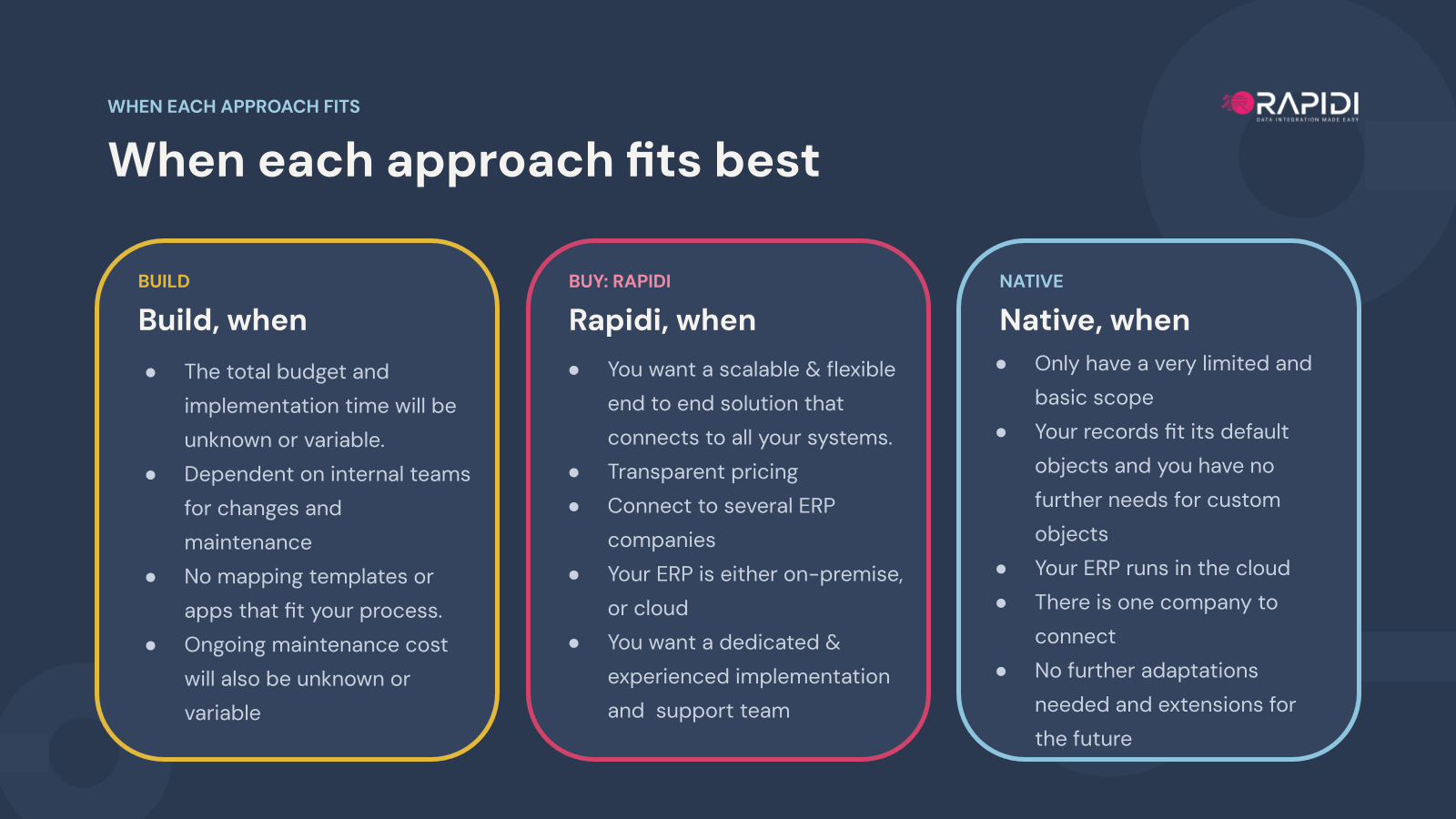
- Build fits when you can live with a budget and timeline that are unknown or variable, when internal teams handle changes and maintenance, and when no template or app fits your process.
- Rapidi fits when you want one scalable solution for all your systems with transparent pricing, when you have several ERP companies, when your ERP runs on-premise or in the cloud, and when you want a dedicated, experienced team for implementation and support. Rapidi has connected business systems since 1987.
- Native fits a limited, basic scope, mostly contacts, where your records fit its default objects, your ERP runs in the cloud and there is one company to connect.
What should you ask every provider?
Put the same six questions to every option, including us.
- Architecture: does it run where our ERP runs, in the cloud, on-premise or in our own Azure?
- Scope: does it sync companies, contacts, orders and invoices, both ways, for every ERP company?
- Templates and scale: how much works on day one, and can the same subscription connect our next system?
- Running it: who answers when it breaks, who absorbs API changes, and how do we learn a record failed?
- Cost: what do licence, hosting, implementation and upkeep add up to, 18 months from now?
- Ease of use: who can change it when users ask, and does each change need a developer?
The HubSpot to ERP checklist puts the six questions on one page, with room for your answers and a comparison table to fill in for your own situation.
Frequently asked questions
What is a native integration?
A native integration is one the software vendor builds and supports itself. For HubSpot that means the apps HubSpot makes itself and lists on the HubSpot Marketplace, such as its Business Central app, which runs on HubSpot Data Sync, and its Dynamics 365 and NetSuite apps. An iPaaS or your own code are third-party integrations, built on the same APIs by someone else.
Does the native HubSpot app for Business Central sync companies?
No. The native Business Central app syncs customers to HubSpot contacts and items to products, both ways. Opportunities and sales orders only come one way, from Business Central into HubSpot, so a deal won in HubSpot does not create a sales order in Business Central. Companies, invoices and line items do not sync. If your customers are companies, check scope before you choose. Rapidi syncs companies, contacts and orders both ways, plus items, prices and invoices from Business Central. For the details, see how to integrate HubSpot with Business Central.
Can HubSpot's native apps connect an on-premise ERP?
No. The native apps are cloud only. Business Central on-premise is not supported, and the Dynamics 365 app needs Dynamics 365 on a dynamics.com domain. Rapidi connects ERPs in the cloud, on-premise or in your own Azure, through RapidiConnector for on-premise systems.
Is there a native HubSpot app for Dynamics 365 Finance, NAV, GP or AX?
No. HubSpot has no app for those systems. Rapidi connects HubSpot and Dynamics 365 Finance, and its team sets up NAV, AX and GP as well.
Our ERP has no HubSpot app. What are our options?
Without a native app, the choice is between building on the APIs and buying an integration platform. HubSpot's native apps cover Business Central, Dynamics 365 and NetSuite, and there is no HubSpot app for Dynamics 365 Finance, NAV, GP, AX or SAP. If you buy, ask to see a working connection to your exact ERP, not a generic demo.
How often does each approach sync?
HubSpot's documentation says the native apps sync within 10 minutes of a change. Rapidi runs from hourly down to every minute, near real-time or triggered, depending on your plan. A build syncs as often as the API limits allow.
Should HubSpot or the ERP own the customer record?
There is no single right answer, but there has to be one, written down before go-live. Decide which system owns which data, whether the integration sits with Finance, CRM or IT, and who on your side is the first point of contact when something stops syncing.
HubSpot Data Sync is free. What does it cost once we need our own fields?
The default mappings are free. Custom mappings need a paid Data Hub subscription, priced per seat, and help beyond the guided setup comes as HubSpot consulting packages.
Take the next step
Download the checklist, run your own figures in the ROI calculator, or talk through your setup in a free 30-minute call with one of our data integration experts. No obligation, no cost.